

Product images are for informational purposes only and may vary slightly depending on the batch and supplier. Product specifications and prices may be subject to change without notice. We do our best to provide accurate and complete product specifications, but they may not be completely accurate. If you encounter any such situation, please let us know.
The product is intended for specialists and requires qualified and authorized personnel. The product does not include assembly/use instructions . Putting the product into operation by unqualified persons leads to the loss of the warranty according to the Terms and Conditions on the site.
The specified technical parameters (current, power, etc.) represent maximum allowable values under ideal operating conditions. For safe use and optimal lifespan, it is recommended to operate the product continuously at no more than 50% of the specified maximum values.
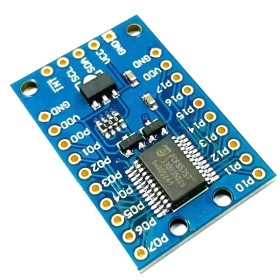
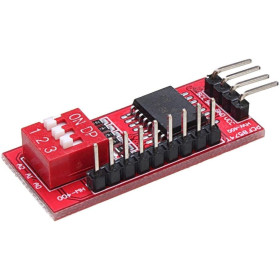
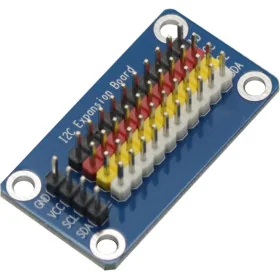
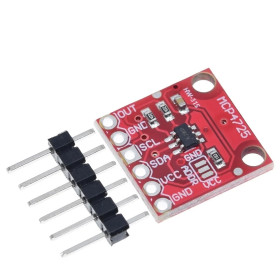
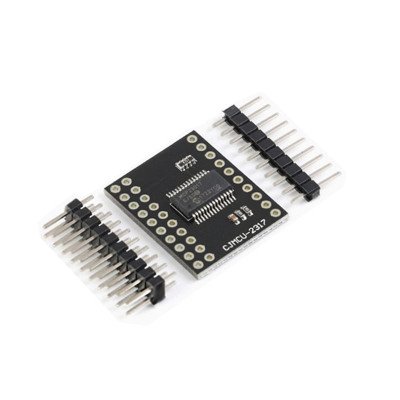
MCP23017 16-bit I2C I/O Expander Module CJMCU-2317
The MCP23017 CJMCU-2317 expander module adds 16 digital input/output pins to a development board via I2C, with a configurable address from A0-A2 for up to 8 modules on the same bus, two interrupt outputs INTA and INTB, internal pull-up on each pin, and compatibility with Arduino, ESP32, STM32 and Raspberry Pi, ideal for relays, LEDs, buttons, and panels with many inputs or outputs.
Shipping by Thursday 22 October
Buying this product earns you Ft87.57 in loyalty points.

International fast shipping within EU. Free Shipping for orders above 100 EUR in most EU countries.

We ship from our stock within 24H

You earn points with every order, worth 5%.
The MCP23017 CJMCU-2317 expander module adds 16 digital input/output pins to a development board via the I2C interface, combining the MCP23017 circuit with two rows of pins for quick breadboard mounting. It is suitable when the number of GPIO pins on the microcontroller is not enough, for example to control multiple relays, LEDs, LED displays, buttons, or switches, or to read a large number of digital inputs.
The MCP23017 chip is a 16-bit I2C expander organized into two 8-pin ports, GPA0 - GPA7 and GPB0 - GPB7, with each pin individually configurable as input or output and featuring an internal 100 kOhm pull-up resistor that can be enabled in software. Communication uses the I2C interface at speeds of 100 kHz, 400 kHz, or 1.7 MHz, and the bus address is set using pins A0, A1, and A2, resulting in 8 possible addresses between 0x20 and 0x27 and allowing up to 8 identical modules to be connected on the same SDA SCL pair. The module has two programmable interrupt outputs, INTA and INTB, generated automatically when the state of an input changes, a polarity register for inverting input logic, and an internal power-on reset circuit.
Among the main features are the MCP23017 circuit in SOIC package, the integrated pull-up resistor network for the I2C lines, two rows of pins for power, control, and the 16 I/O channels, as well as mounting holes on the board, and power is supplied directly through the module’s VCC and GND pins.
Through the I2C interface, the module is compatible with Arduino, ESP32, STM32, Raspberry Pi, and any other development board or microcontroller that has SDA and SCL pins.
Specifications:
Supply voltage: 3.3 - 5.5 VDC
Idle current: 1 uA (maximum)
Chip: MCP23017
Interface: I2C (IIC)
I/O pin count: 16 (2 ports x 8, GPA0 - GPA7 and GPB0 - GPB7)
I2C frequency: up to 1.7 MHz (100 kHz / 400 kHz / 1.7 MHz)
Maximum I/O pin current: 25 mA
Total package current: 125 mA
Internal pull-up resistors: 100 kOhm, individually configurable on each pin
Interrupt outputs: INTA, INTB, configurable as active-high, active-low, or open-drain
I2C address: 0x20 - 0x27
Address configuration pins: A0, A1, A2 (up to 8 modules on the same bus)
Operating temperature: -40 - 85 degrees Celsius
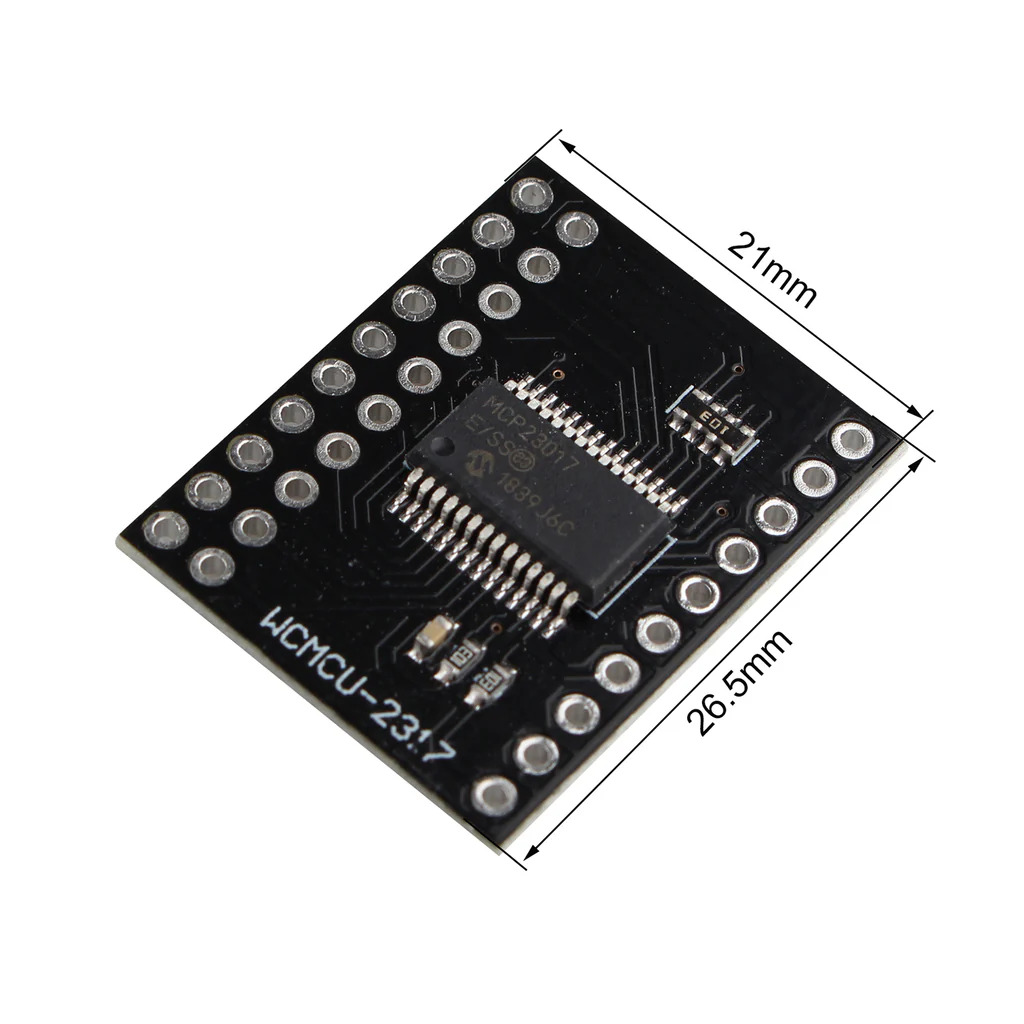
Dimensions: 21 x 26.5 mm
Layout:
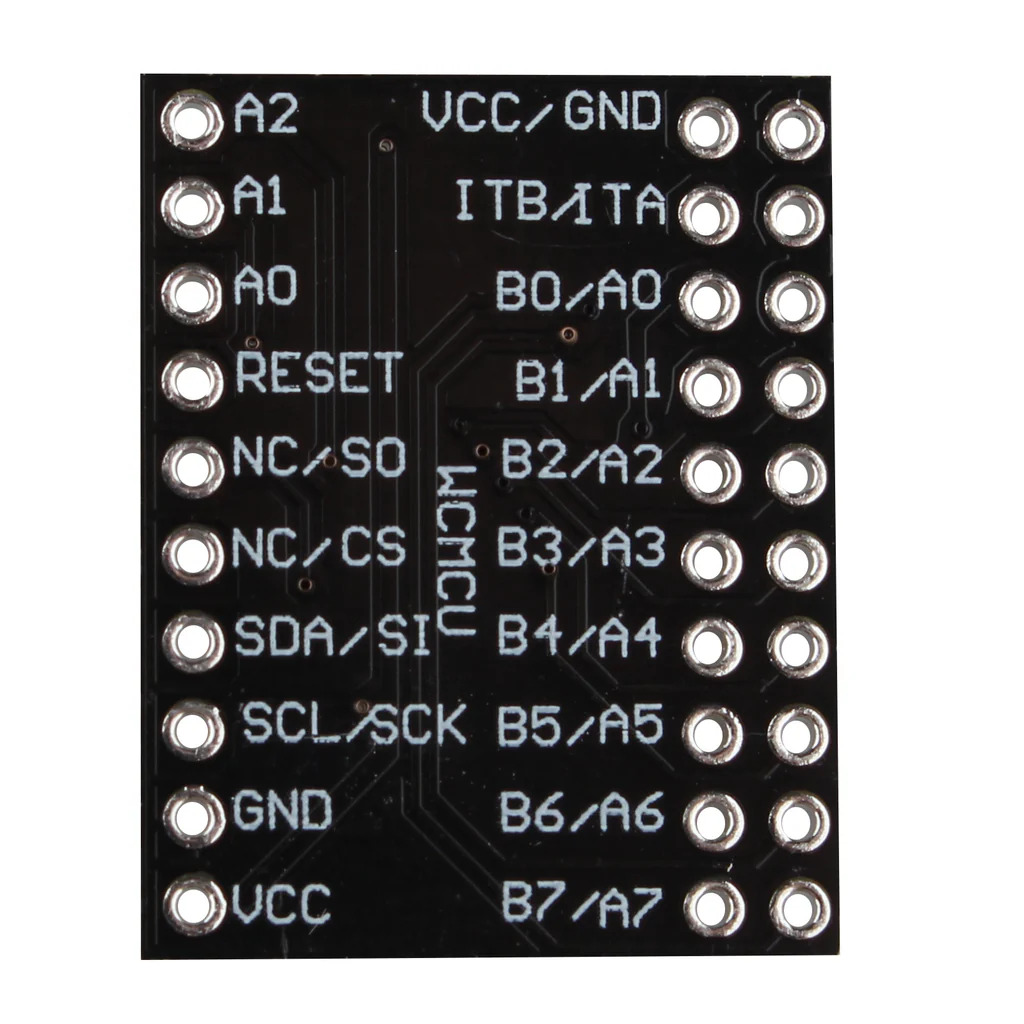
1. MCP23017 expander circuit: The original integrated circuit, in SOIC package, that converts I2C commands into 16 digital input or output lines.
2. Pull-up resistor network: Integrated resistor network used as pull-up for the SDA and SCL lines, sufficient for short connections on the same bus.
3. Header with power and control pins: Groups the VCC, GND, SCL, SDA, RESET, A0, A1, A2, INTA, and INTB pins.
4. Header with input/output pins: Groups the 16 digital channels GPA0 - GPA7 and GPB0 - GPB7.
5. Mounting holes: Perforations for mounting the board on a support or in an enclosure.
Pinout:
| Connector | Pin | Function |
|---|---|---|
| Power and control header | VCC | 3.3 - 5.5 VDC power supply |
| Power and control header | GND | Common ground |
| Power and control header | SCL | I2C clock line |
| Power and control header | SDA | I2C data line |
| Power and control header | RESET | Active-low reset, connect to VCC for normal operation |
| Power and control header | A0, A1, A2 | I2C address configuration, each pin to GND or VCC |
| Power and control header | INTA | Port A interrupt output |
| Power and control header | INTB | Port B interrupt output |
| I/O header | GPA0 - GPA7 | 8 digital input or output pins, port A |
| I/O header | GPB0 - GPB7 | 8 digital input or output pins, port B |
| A2 | A1 | A0 | I2C address |
|---|---|---|---|
| GND | GND | GND | 0x20 |
| GND | GND | VCC | 0x21 |
| GND | VCC | GND | 0x22 |
| GND | VCC | VCC | 0x23 |
| VCC | GND | GND | 0x24 |
| VCC | GND | VCC | 0x25 |
| VCC | VCC | GND | 0x26 |
| VCC | VCC | VCC | 0x27 |
Diagram and I2C address:
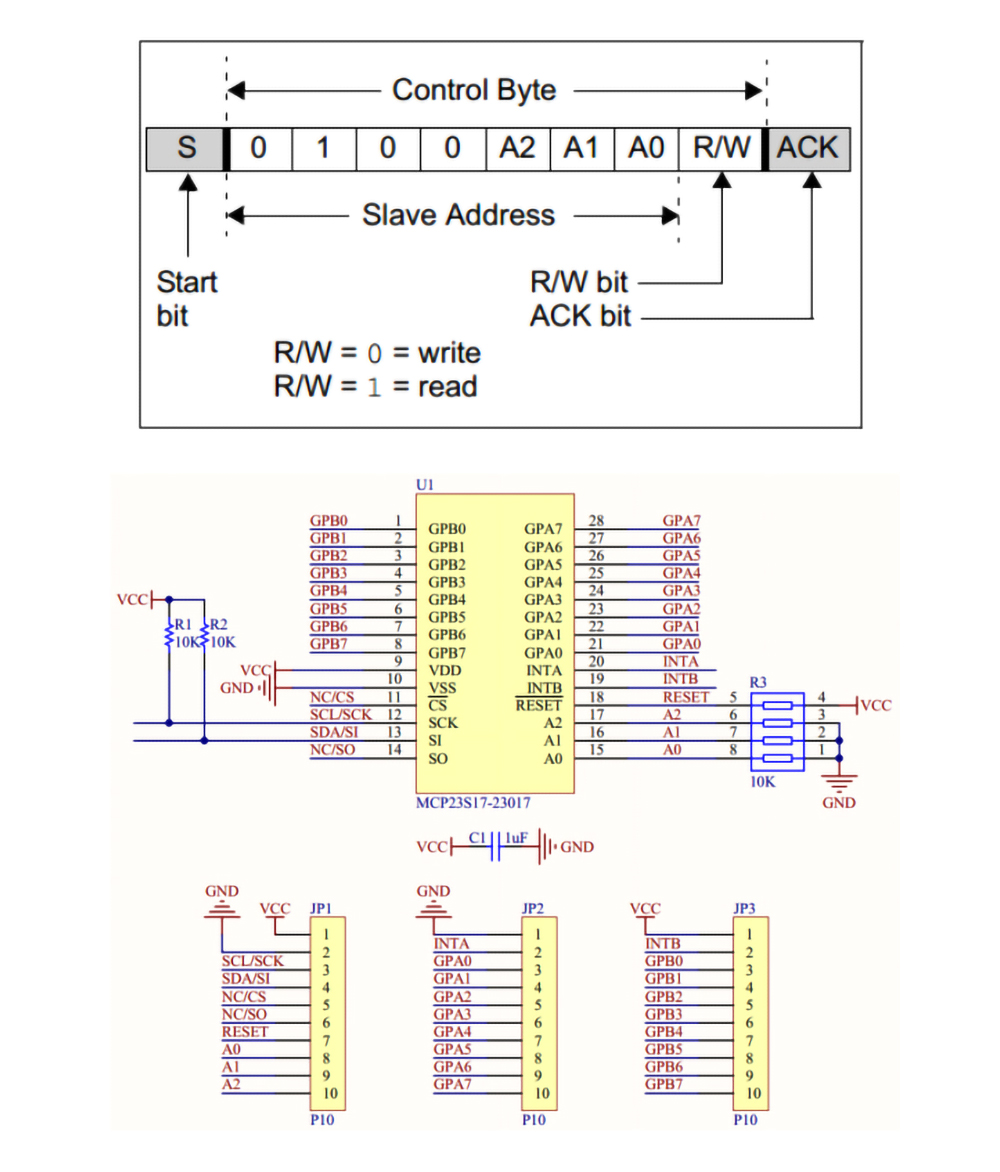
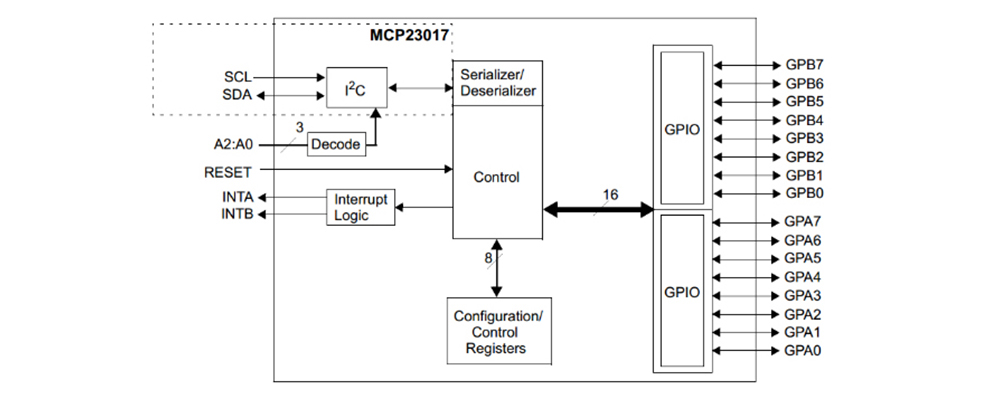
The connection diagram shows the minimum link between the module and the development board, through the VCC, GND, SCL, and SDA pins, and the address table shows exactly the combinations of A0, A1, and A2 pins that give the 8 possible addresses, between 0x20 and 0x27, for using multiple modules on the same bus.
Usage:
Connect the module’s VCC and GND pins to a 3.3 V or 5 V supply, depending on the logic level of the development board, and connect SCL and SDA to the corresponding I2C lines.
Connect the RESET pin directly to VCC or through a 10 kOhm resistor, so that the module does not remain stuck in reset and can be correctly detected on the bus.
Set the desired I2C address by connecting pins A0, A1, and A2 to GND or VCC, for example all three to GND for address 0x20, according to the address table.
Configure each of the 16 pins GPA0 - GPA7 and GPB0 - GPB7 as input or output in software before reading or writing their state, because after power-up all pins default to inputs.
For inputs connected to buttons or switches, enable the internal pull-up in software and avoid additional external resistors, unless another configuration is required.
For loads such as relays or LEDs, respect the maximum current of 25 mA per I/O pin and the total 125 mA package current, and for larger loads use transistors or separate relay modules.
For applications with multiple modules on the same bus, assign a unique address to each one using the A0, A1, A2 combination, up to a maximum of 8 modules simultaneously.
To reduce constant polling of the I2C bus, use the INTA and INTB outputs, which go LOW when an input on the corresponding port changes, and read the interrupt registers to determine which pin and state generated the interrupt.
For connections longer than a few centimeters or for multiple modules on the same bus, add external 4.7 kOhm pull-up resistors on SDA and SCL, in addition to the module’s internal network.
Dimension diagram:
- Communication interface
- I2C
- Main chip
- MCP23017
- Number of I/O channels
- 16
Produs destinat utilizarii in proiecte electronice, automatizari, prototipare, educatie si cercetare.
Produsul trebuie utilizat numai conform specificatiilor tehnice mentionate in descriere si/sau in documentatia produsului.
Avertismente generale de siguranta:
Nu utilizati produsul la tensiuni, curenti sau temperaturi peste valorile specificate.
Montajul si conectarea trebuie realizate de persoane cu cunostinte tehnice minime in domeniul electric/electronic.
Evitati scurtcircuitele, inversarea polaritatii si conectarea gresita a alimentarii.
Nu lasati produsul alimentat nesupravegheat in timpul testelor.
Produsul nu este jucarie si nu este destinat copiilor.
Pentru modulele electronice, se recomanda utilizarea in carcase, panouri sau montaje protejate, dupa caz.
Identificare produs:
Denumirea produsului, codul/SKU-ul si caracteristicile tehnice sunt mentionate in pagina produsului si/sau pe eticheta ambalajului.
Producator / Importator / Distribuitor:
Sigmanortec S.R.L.
Calea Bucuresti nr. 9, Targu Jiu, Gorj, Romania
E-mail: [email protected]
Website: www.sigmanortec.ro
Persoana responsabila in UE:
Sigmanortec S.R.L.
Calea Bucuresti nr. 9, Targu Jiu, Gorj, Romania
E-mail: [email protected]
Documentatie si siguranta:
Pentru informatii suplimentare, fise tehnice, declaratii de conformitate sau instructiuni, ne puteti contacta la [email protected].
/*
  MCP23017 16-Bit I2C IO Expander - Basic Hardware Test
  Board: Arduino Uno (Arduino AVR Boards)
  Library: Wire.h only (included with Arduino IDE, no extra library needed)

  Wiring:
  MCP23017 VCC    -> Arduino 5V
  MCP23017 GND    -> Arduino GND
  MCP23017 SCL    -> Arduino A5 (SCL)
  MCP23017 SDA    -> Arduino A4 (SDA)
  MCP23017 RESET  -> Arduino 5V
  MCP23017 A0,A1,A2 -> GND (I2C address 0x20)
  MCP23017 GPA0   -> 220 ohm resistor -> LED anode, LED cathode -> GND

  This test writes directly to the MCP23017 registers to confirm
  the module answers on the I2C bus and that GPA0 can be toggled,
  without relying on any external library.
*/

#include <Wire.h>

const uint8_t MCP23017_ADDR = 0x20;
const uint8_t REG_IODIRA = 0x00; // direction register port A
const uint8_t REG_GPIOA  = 0x12; // read/write register port A

void mcpWriteRegister(uint8_t reg, uint8_t value) {
  Wire.beginTransmission(MCP23017_ADDR);
  Wire.write(reg);
  Wire.write(value);
  Wire.endTransmission();
}

bool mcpIsPresent() {
  Wire.beginTransmission(MCP23017_ADDR);
  return (Wire.endTransmission() == 0);
}

void setup() {
  Serial.begin(9600);
  Wire.begin();

  Serial.println("Scanning for MCP23017 at address 0x20...");

  if (!mcpIsPresent()) {
    Serial.println("MCP23017 not found, check VCC, GND, SDA, SCL and RESET");
    while (1);
  }

  Serial.println("MCP23017 found on the I2C bus");

  // Set GPA0 as output, the rest of port A stays as input
  mcpWriteRegister(REG_IODIRA, 0xFE);
}

void loop() {
  // Turn GPA0 on
  mcpWriteRegister(REG_GPIOA, 0x01);
  Serial.println("GPA0 set HIGH, LED should turn on");
  delay(1000);

  // Turn GPA0 off
  mcpWriteRegister(REG_GPIOA, 0x00);
  Serial.println("GPA0 set LOW, LED should turn off");
  delay(1000);
}
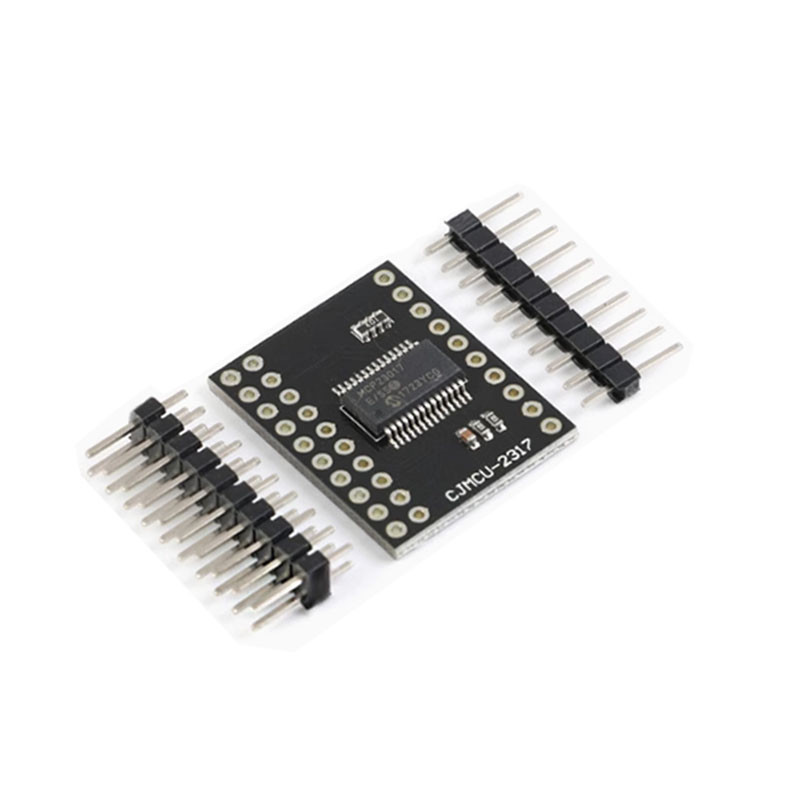
This tutorial shows how to set up the MCP23017 CJMCU-2317 expander module using an Arduino Uno board, to control a LED and read the state of a button through the 16 additional pins added on the I2C bus. The module is suitable when your project needs more digital inputs or outputs than the pins available on the base board, for example for panels with multiple LEDs, buttons or relays.
How it works:
MCP23017 communicates with Arduino through internal registers, which the library writes and reads via I2C. Two direction registers, IODIRA and IODIRB, determine whether each of the 8 pins of a port is an input or output, while two GPIOA and GPIOB registers read or write the physical state of the pins. The I2C address of the module is formed from 4 fixed bits followed by the state of pins A2, A1 and A0, which gives an address range between 0x20, when all three are at GND, and 0x27, when all three are at VCC. In this tutorial A0, A1 and A2 remain at GND, so the module responds to address 0x20. The Adafruit_MCP23X17 library hides all these registers and exposes simple functions such as pinMode, digitalWrite and digitalRead for each of the 16 pins, numbered from 0 (GPA0) to 15 (GPB7).
What you need:
- 1 x MCP23017 I2C 16-Bit IO Expander Module
- 1 x Arduino Uno R3 development board with Wifi ESP8266, Arduino compatible
- 1 x Breadboard 830 contacts MB-102
- 1 x LED 5mm, White
- 1 x 220 ohm resistor
- 1 x 4-pin push button
- 1 x 40 Dupont wires 10cm, Male-Female
Connection:
The module uses only 4 active wires to Arduino, plus the RESET pin and address pins, which are fixed to power or ground.
| Product pin | Connects to | Role |
|---|---|---|
| VCC | 5V Arduino Uno | Module power supply |
| GND | GND Arduino Uno | Common ground |
| SCL | A5 (SCL) Arduino Uno | I2C clock line |
| SDA | A4 (SDA) Arduino Uno | I2C data line |
| RESET | 5V Arduino Uno | Keeps the module in normal operation |
| A0, A1, A2 | GND | Sets I2C address 0x20 |
| GPA0 | 220 ohm resistor then LED anode, LED cathode to GND | Controlled output, lights up the LED |
| GPB0 | One button terminal, other terminal to GND | Input with internal pull-up, reads button state |
Board and libraries:
Select the Arduino Uno board in Arduino IDE, from Tools > Board > Arduino AVR Boards, a package included by default with Arduino IDE, without needing an additional address in File > Preferences. Install from Library Manager the Adafruit MCP23017 Arduino Library, by author Adafruit, which contains the file Adafruit_MCP23X17.h, and let the manager also install the required Adafruit BusIO dependency. Basic I2C communication uses the Wire library, included by default in Arduino IDE, which does not need to be installed separately.
Code:
The following program initializes the module at default address 0x20, configures GPA0 as an output for the LED and GPB0 as an input with pull-up for the button, then lights up the LED while the button is pressed.
/*
  MCP23017 16-Bit I2C IO Expander - Button and LED Example
  Board: Arduino Uno (Arduino AVR Boards)
  Library: Adafruit MCP23017 Arduino Library (Adafruit_MCP23X17.h) by Adafruit
  Library: Wire.h (included with Arduino IDE)
  Wiring:
  MCP23017 VCC    -> Arduino 5V
  MCP23017 GND    -> Arduino GND
  MCP23017 SCL    -> Arduino A5 (SCL)
  MCP23017 SDA    -> Arduino A4 (SDA)
  MCP23017 RESET  -> Arduino 5V
  MCP23017 A0,A1,A2 -> GND (I2C address 0x20)
  MCP23017 GPA0   -> 220 ohm resistor -> LED anode, LED cathode -> GND
  MCP23017 GPB0   -> push button -> GND (other button terminal)
*/
#include <Adafruit_MCP23X17.h>
Adafruit_MCP23X17 mcp;
const uint8_t LED_PIN = 0;     // GPA0
const uint8_t BUTTON_PIN = 8;  // GPB0
void setup() {
  Serial.begin(9600);
  // Initialize the MCP23017 at I2C address 0x20
  if (!mcp.begin_I2C(0x20)) {
    Serial.println("MCP23017 not found, check wiring and RESET pin");
    while (1);
  }
  // Configure GPA0 as output for the LED
  mcp.pinMode(LED_PIN, OUTPUT);
  // Configure GPB0 as input with internal pull-up for the button
  mcp.pinMode(BUTTON_PIN, INPUT_PULLUP);
  Serial.println("MCP23017 initialized at address 0x20");
}
void loop() {
  // Read the button state, LOW means pressed (pulled to GND)
  int buttonState = mcp.digitalRead(BUTTON_PIN);
  if (buttonState == LOW) {
    mcp.digitalWrite(LED_PIN, HIGH);  // turn LED on
  } else {
    mcp.digitalWrite(LED_PIN, LOW);   // turn LED off
  }
  Serial.print("Button state: ");
  Serial.println(buttonState == LOW ? "pressed" : "released");
  delay(100);
}
How the code works:
At the beginning of the program, the Adafruit_MCP23X17.h library is included and the mcp object is created, through which all commands to the module will be made. In the setup function the serial port is initialized at 9600 baud, then mcp.begin_I2C is called with address 0x20 to establish I2C communication, and if the module does not respond the program displays an error message and stops in a while(1) loop. Also in setup, the LED_PIN pin (GPA0) is configured as OUTPUT and the BUTTON_PIN pin (GPB0) as INPUT_PULLUP, using the internal pull-up of MCP23017. In the loop function, the button state is read with mcp.digitalRead(BUTTON_PIN), and if the value is LOW, meaning the button is pressed, HIGH is written to LED_PIN to light up the LED, otherwise LOW is written. The button state is also sent to the serial monitor, followed by a short pause given by delay.
Result:
Open the serial monitor at 9600 baud, the LED connected on GPA0 should light up when you hold down the button on GPB0 and turn off when you release it, and the read button state appears on the monitor at the same time.
MCP23017 initialized at address 0x20
Button state: released
Button state: released
Button state: pressed
Button state: pressed
Button state: pressed
Button state: released
Button state: released
Common issues:
The message MCP23017 not found on the serial monitor usually appears when the RESET pin is left unconnected, because the module remains blocked in reset, the solution is to connect RESET directly to VCC or through a 10 kOhm resistor.
The module does not respond to the address used in the code means that the address set in mcp.begin_I2C does not match the state of pins A0, A1 and A2, check the connections of these pins and run an I2C scanner to confirm the actual address.
The button seems pressed all the time or button press is never detected means that the BUTTON_PIN pin was not configured as INPUT_PULLUP, but as simple INPUT, leaving the input floating.
The LED remains off even though the button is pressed may mean that the LED is mounted backwards or the 220 ohm resistor is missing or broken, check the polarity of the LED and the continuity of the resistor.
If you use multiple modules on the same bus and none respond correctly, make sure you do not have two modules with the same combination on A0, A1 and A2, each module needs a unique address.
Unstable communication or intermittent errors on wires longer than a few centimeters is resolved by adding external 4.7 kOhm pull-up resistors on SDA and SCL, in addition to the internal network on the module.
Limitations and tips:
MCP23017 does not offer PWM outputs or analog inputs, being suitable only for digital on-off signals, not for reading variable voltages or for direct brightness control. The maximum current of 25 mA per pin and 125 mA total on the package limits the load connected directly to the GPIO pins, for relays, motors or power LEDs a separate transistor or relay module is needed. Up to 8 modules can operate simultaneously on the same I2C bus, offering together 128 additional pins, useful for panels with many buttons, LEDs or digital sensors, and the INTA and INTB outputs allow handling changes through interrupts, without continuous bus polling.