
Product images are for informational purposes only and may vary slightly depending on the batch and supplier. Product specifications and prices may be subject to change without notice. We do our best to provide accurate and complete product specifications, but they may not be completely accurate. If you encounter any such situation, please let us know.
The product is intended for specialists and requires qualified and authorized personnel. The product does not include assembly/use instructions . Putting the product into operation by unqualified persons leads to the loss of the warranty according to the Terms and Conditions on the site.
The specified technical parameters (current, power, etc.) represent maximum allowable values under ideal operating conditions. For safe use and optimal lifespan, it is recommended to operate the product continuously at no more than 50% of the specified maximum values.
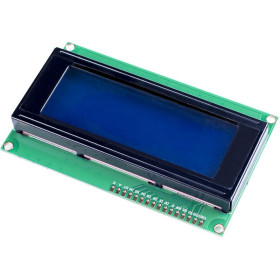
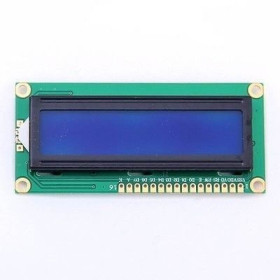
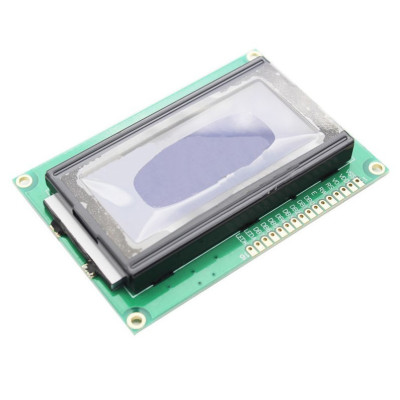
LCD 1604 Blue
Blue 1604 LCD display, ideal for displaying messages and parameters in projects with Arduino or other development boards, offers 16 characters on 4 lines for clear information, operates at 3.3-5V for easy integration, has compact dimensions of 86.96 x 60 x 13 mm and a visible screen of 62.3 x 27.6 mm.
Shipping by Thursday 22 October
Buying this product earns you 1.60 RON in loyalty points.

International fast shipping within EU. Free Shipping for orders above 100 EUR in most EU countries.

We ship from our stock within 24H

You earn points with every order, worth 5%.
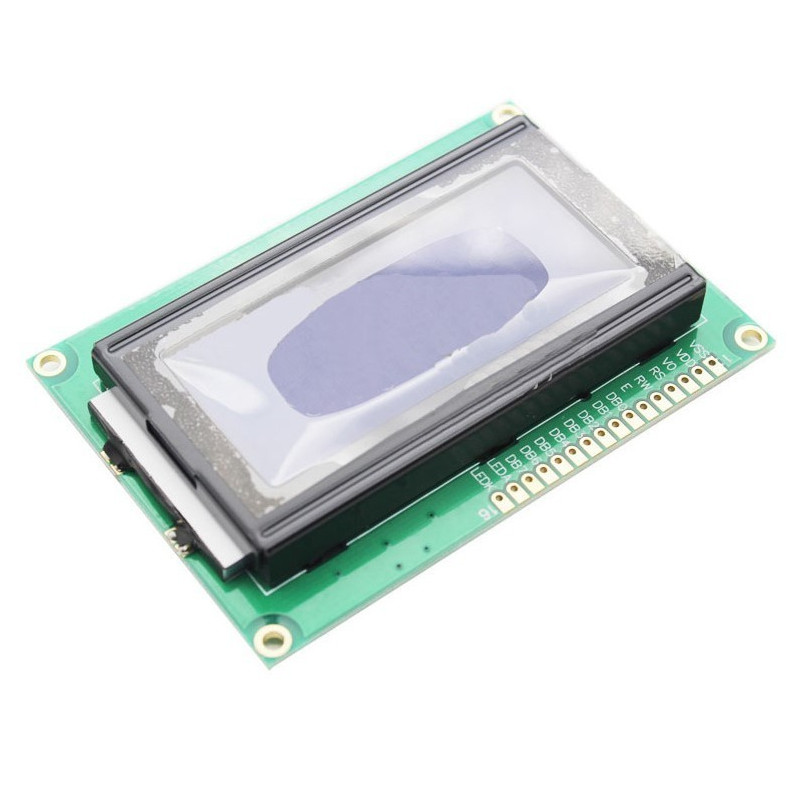
Blue color LCD1604 display, compatible with Arduino and other development boards.
16 characters arranged on 4 lines.
Power supply voltage: 3.3-5V
Dimensions mm: 86.96 x 60 x 13
Screen dimensions mm: 62.3 x 27.6
Produs destinat utilizarii in proiecte electronice, automatizari, prototipare, educatie si cercetare.
Produsul trebuie utilizat numai conform specificatiilor tehnice mentionate in descriere si/sau in documentatia produsului.
Avertismente generale de siguranta:
Nu utilizati produsul la tensiuni, curenti sau temperaturi peste valorile specificate.
Montajul si conectarea trebuie realizate de persoane cu cunostinte tehnice minime in domeniul electric/electronic.
Evitati scurtcircuitele, inversarea polaritatii si conectarea gresita a alimentarii.
Nu lasati produsul alimentat nesupravegheat in timpul testelor.
Produsul nu este jucarie si nu este destinat copiilor.
Pentru modulele electronice, se recomanda utilizarea in carcase, panouri sau montaje protejate, dupa caz.
Identificare produs:
Denumirea produsului, codul/SKU-ul si caracteristicile tehnice sunt mentionate in pagina produsului si/sau pe eticheta ambalajului.
Producator / Importator / Distribuitor:
Sigmanortec S.R.L.
Calea Bucuresti nr. 9, Targu Jiu, Gorj, Romania
E-mail: [email protected]
Website: www.sigmanortec.ro
Persoana responsabila in UE:
Sigmanortec S.R.L.
Calea Bucuresti nr. 9, Targu Jiu, Gorj, Romania
E-mail: [email protected]
Documentatie si siguranta:
Pentru informatii suplimentare, fise tehnice, declaratii de conformitate sau instructiuni, ne puteti contacta la [email protected].
Reviews (2) - Review moderation

Cei care au achiziționat acest produs sau doresc să-l achiziționeze: este O.K. cu condiția să fie atenți că primul și al treilea rând, al doilea și al patrulea sunt de fapt un singur rând, setarea cursorului începe cu prima coloană 0 iar rândul trei cu coloana 16, analog pentru rândurile 2 și 4.
Excelent
/*
  Board: Arduino Uno (Arduino AVR Boards)
  Library: LiquidCrystal (included with Arduino IDE, no extra install needed)

  Wiring (LCD 1604, 4-bit mode):
  VSS -> GND
  VDD -> 5V
  VO  -> potentiometer wiper (contrast)
  RS  -> D12
  RW  -> GND
  E   -> D11
  DB4 -> D5
  DB5 -> D4
  DB6 -> D3
  DB7 -> D2
  A   -> 5V through current limiting resistor
  K   -> GND

  This sketch checks the 4 lines of the LCD1604 display and
  also prints status messages to the Serial Monitor for reference.
*/

#include <LiquidCrystal.h>

LiquidCrystal lcd(12, 11, 5, 4, 3, 2);

void setup() {
  Serial.begin(9600);
  Serial.println("LCD1604 test starting...");

  lcd.begin(16, 4);

  // Test pattern: print a different message on each of the 4 lines
  lcd.setCursor(0, 0);
  lcd.print("Line 1: 16 chars");
  lcd.setCursor(0, 1);
  lcd.print("Line 2: test OK");
  lcd.setCursor(0, 2);
  lcd.print("Line 3: HD44780");
  lcd.setCursor(0, 3);
  lcd.print("Line 4: Sigmanor");

  Serial.println("Test pattern written to all 4 lines");
}

void loop() {
  // Blink the cursor to visually confirm the LCD is responding
  lcd.setCursor(15, 3);
  lcd.cursor();
  delay(500);
  lcd.noCursor();
  delay(500);
}
This LCD 1604 display is a character display with 16 columns and 4 lines, an HD44780-compatible controller and a parallel interface. This tutorial shows how to connect and use the module with an Arduino Uno board. The Uno is a good match for this type of display because it has enough free digital pins and is the reference board for the LiquidCrystal library.
How it works:
The HD44780 controller on the back of the display receives commands and data through the RS, R/W and E pins and the DB0 - DB7 data bus. When RS is low, the byte sent on the bus is interpreted as an instruction, for example clearing the screen or positioning the cursor. When RS is high, the byte is interpreted as the character to display. To save pins, the module can be used in 4-bit mode, in which only the DB4 - DB7 lines are connected and each byte is sent in two successive 4-bit transfers. The E pin must be brought high and then pulled low so that the controller picks up each command or character. This falling edge is the moment when the data on the bus is read.
Wiring:
The display is powered at 5 V and uses 5 V logic levels for the RS, E and DB4 - DB7 signals, which are directly compatible with Arduino Uno.
| Product pin | Connects to | Role |
|---|---|---|
| VSS | Arduino GND | Common ground |
| VDD | Arduino 5V | Logic power supply |
| VO | 10k potentiometer wiper | Contrast adjustment |
| RS | Arduino D12 | Data / Instruction select |
| R/W | Arduino GND | Fixed write mode |
| E | Arduino D11 | Enable |
| DB4 | Arduino D5 | Data bit 4 |
| DB5 | Arduino D4 | Data bit 5 |
| DB6 | Arduino D3 | Data bit 6 |
| DB7 | Arduino D2 | Data bit 7 |
| A | Arduino 5V through a current-limiting resistor | Backlight power (+) |
| K | Arduino GND | Backlight power (-) |
Board and libraries:
In Arduino IDE, select the Arduino Uno board from the Arduino AVR Boards package, which comes installed by default with Arduino IDE and does not require an additional URL in Boards Manager. The program uses the LiquidCrystal library, which is included in Arduino IDE, so you do not need to install any additional library from Library Manager.
The code:
The program initializes the display in 4-bit mode, writes a fixed text on the 4 lines and then shows a counter that updates every second.
/*
  Board: Arduino Uno (Arduino AVR Boards)
  Library: LiquidCrystal (included with Arduino IDE, no extra install needed)
  Wiring (LCD 1604, 4-bit mode):
  VSS -> GND
  VDD -> 5V
  VO  -> potentiometer wiper (contrast)
  RS  -> D12
  RW  -> GND
  E   -> D11
  DB4 -> D5
  DB5 -> D4
  DB6 -> D3
  DB7 -> D2
  A   -> 5V through current limiting resistor
  K   -> GND
*/
#include <LiquidCrystal.h>
// Create LCD object with the pins used above (RS, E, D4, D5, D6, D7)
LiquidCrystal lcd(12, 11, 5, 4, 3, 2);
unsigned long lastUpdate = 0;
unsigned int counter = 0;
void setup() {
  // Initialize the LCD for 16 columns and 4 rows
  lcd.begin(16, 4);
  // Print a fixed title on the first two lines
  lcd.setCursor(0, 0);
  lcd.print("Sigmanortec.ro");
  lcd.setCursor(0, 1);
  lcd.print("LCD 1604 Test");
  lastUpdate = millis();
}
void loop() {
  // Update the counter on line 3 once per second
  if (millis() - lastUpdate >= 1000) {
    lastUpdate = millis();
    counter++;
    // Clear the line area before writing the new value
    lcd.setCursor(0, 2);
    lcd.print("Counter:        ");
    // Write the updated counter value
    lcd.setCursor(9, 2);
    lcd.print(counter);
  }
}
How the code works:
At the beginning of the program, the lcd object of type LiquidCrystal is created, with the RS, E, DB4, DB5, DB6 and DB7 pins declared exactly as in the wiring table. In the setup function, lcd.begin(16, 4) initializes the display for 16 columns and 4 lines, then lcd.print writes the fixed text on the first two lines, using lcd.setCursor to choose the starting column and line. In the loop function, the counter variable is incremented every second, and lcd.setCursor together with lcd.print updates the third line with the new value. The area is first cleared with spaces to remove the old digits left over from a longer number.
Result:
The display should show the fixed text on the first two lines and a number that increases every second on the third line. There is no connection to the serial monitor, since this example does not send data over the serial port.
Common problems:
The display stays completely blank or shows no visible text if the contrast potentiometer is not set correctly. Turn it slowly until the characters become visible.
Random characters or unclear symbols appear when the data pins are not connected exactly in the order used in the code. Check that DB4 - DB7 match the pins declared in the LiquidCrystal object.
The backlight does not turn on if the A and K pins are swapped or if the current-limiting resistor is missing. Check the polarity and the resistor value.
Text appears doubled or overlapping when the screen area is not cleared before writing a new, shorter value. Pad with spaces before displaying.
The display does not respond at all if the R/W pin is not tied to ground. Make sure this pin is connected directly to GND for write mode operation.
Limitations and tips:
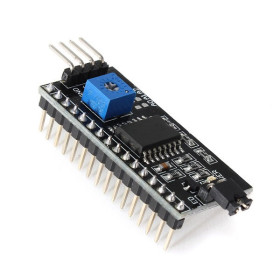
This is a character display, with no option to draw free-form graphics apart from the 8 user-definable custom characters, and the parallel interface uses a relatively large number of digital pins on the development board. For projects with fewer available pins, you can use an I2C adapter module mounted on the 16-pin header, which reduces the connection to just 4 wires. For long texts or menus, you can use scrolling effects controlled from software.