
Product images are for informational purposes only and may vary slightly depending on the batch and supplier. Product specifications and prices may be subject to change without notice. We do our best to provide accurate and complete product specifications, but they may not be completely accurate. If you encounter any such situation, please let us know.
The product is intended for specialists and requires qualified and authorized personnel. The product does not include assembly/use instructions . Putting the product into operation by unqualified persons leads to the loss of the warranty according to the Terms and Conditions on the site.
The specified technical parameters (current, power, etc.) represent maximum allowable values under ideal operating conditions. For safe use and optimal lifespan, it is recommended to operate the product continuously at no more than 50% of the specified maximum values.
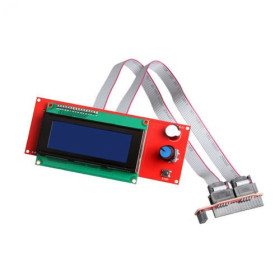
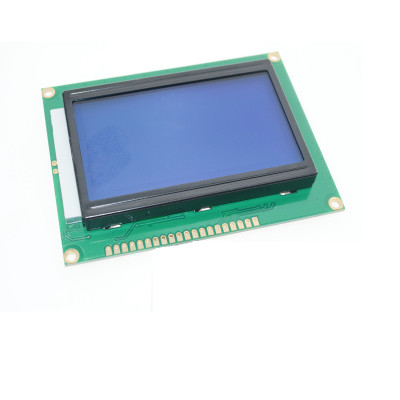
LCD 12864, Blue, ST7920
128x64 graphic display with blue backlight and white text, ideal for Arduino projects, 3D printers and other applications where you need text and custom graphics. It uses the ST7920 controller for wide compatibility, has easy selection between parallel and SPI interface with only 3 wires, includes integrated potentiometer for contrast adjustment and clearly marked pins for quick connection.
Shipping by Thursday 22 October
Buying this product earns you 2.79 RON in loyalty points.

International fast shipping within EU. Free Shipping for orders above 100 EUR in most EU countries.

We ship from our stock within 24H

You earn points with every order, worth 5%.
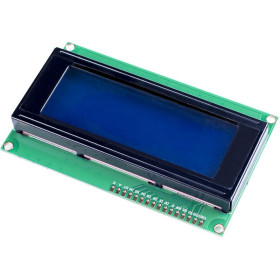
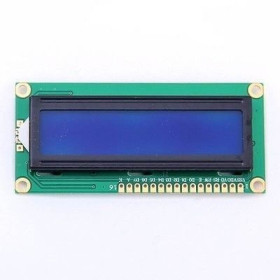
Graphic LCD 12864 - 20M with 128x64 pixels with blue backlight and white text, based on the ST7920 controller, known for its extensive compatibility with Arduino and other microcontrollers. This display is suitable for both text display and custom graphics.
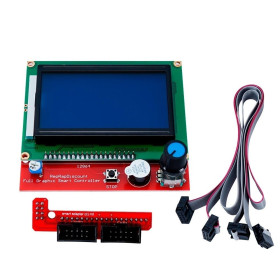
It is frequently used in 3D printers, as an accessory for RAMPS, but also in various other electronic applications where a programmable display is needed. Connection is easy, with pins documented on the back side.
It also features an integrated potentiometer for contrast adjustment.
The display is fully programmable and can render both text and graphics, and the communication mode can be easily set from the PSB pin, between parallel interface and SPI. In SPI mode, you only need 3 data pins, which greatly simplifies wiring in microcontroller projects.
Technical specifications:
Power supply voltage: 5VDC
Resolution: 128 x 64 pixels
Controller: ST7920
Display type: Monochrome graphic LCD
Backlight: Blue background with white text
Interface: 6800 4-bit Parallel
Interface: 6800 8-bit Parallel
Interface: 3-Wire Serial SPI
Backlight current: 60mA typical
Visible area: 72 x 40mm
Active area: 66 x 34mm
Dot size: 0.48 x 0.48mm
Dot pitch: 0.52 x 0.52mm
Operating temperature: -20 to 70C
Screen dimensions: 78.2 x 51mm
Module size: 93.0 x 70.0 x 13.6 mm
Pinout:
| Pin No | Pin Name | Description |
|---|---|---|
| 1 | VSS | GND |
| 2 | VDD | Power Supply 5V |
| 3 | V0 | Contrast |
| 4 | RS / CS | H data signal, L instruction signal / Chip Select active High |
| 5 | R/W / MOSI | H read, L write / serial data MOSI |
| 6 | E / SCK | Enable / serial clock SCK |
| 7 | DB0 | Data bus line |
| 8 | DB1 | Data bus line |
| 9 | DB2 | Data bus line |
| 10 | DB3 | Data bus line |
| 11 | DB4 | Data bus line |
| 12 | DB5 | Data bus line |
| 13 | DB6 | Data bus line |
| 14 | DB7 | Data bus line |
| 15 | PSB | H parallel mode, L SPI serial mode |
| 16 | NC | Not connected |
| 17 | /RST | Reset active Low |
| 18 | VOUT | Negative voltage output |
| 19 | BLA | Backlight anode +5V |
| 20 | BLK | Backlight cathode 0V GND |
Usage:
Identify the pins on the back of the display and connect it to the microcontroller according to the library used.
For Arduino, use the SPI or parallel interface (depending on configuration).
Use libraries such as U8g2 for displaying graphics and text.
Arduino Example:
This test uses the 3-wire SPI method.
Module settings:
PSB on GND, SPI serial mode.
Pin Connections:
| LCD Pin | Pin Name | Connect to Arduino UNO | Notes |
|---|---|---|---|
| 1 | VSS | GND | ground |
| 2 | VDD | 5V | power supply |
| 4 | RS / CS | D10 | CS, chip select active High |
| 5 | R/W / MOSI | D11 | MOSI, serial data |
| 6 | E / SCK | D13 | SCK, serial clock |
| 15 | PSB | GND | SPI mode |
| 17 | /RST | D8 | reset active Low |
| 19 | BLA | 5V | backlight positive |
| 20 | BLK | GND | backlight negative |
The test code is available in the TEST section of the product.
Produs destinat utilizarii in proiecte electronice, automatizari, prototipare, educatie si cercetare.
Produsul trebuie utilizat numai conform specificatiilor tehnice mentionate in descriere si/sau in documentatia produsului.
Avertismente generale de siguranta:
Nu utilizati produsul la tensiuni, curenti sau temperaturi peste valorile specificate.
Montajul si conectarea trebuie realizate de persoane cu cunostinte tehnice minime in domeniul electric/electronic.
Evitati scurtcircuitele, inversarea polaritatii si conectarea gresita a alimentarii.
Nu lasati produsul alimentat nesupravegheat in timpul testelor.
Produsul nu este jucarie si nu este destinat copiilor.
Pentru modulele electronice, se recomanda utilizarea in carcase, panouri sau montaje protejate, dupa caz.
Identificare produs:
Denumirea produsului, codul/SKU-ul si caracteristicile tehnice sunt mentionate in pagina produsului si/sau pe eticheta ambalajului.
Producator / Importator / Distribuitor:
Sigmanortec S.R.L.
Calea Bucuresti nr. 9, Targu Jiu, Gorj, Romania
E-mail: [email protected]
Website: www.sigmanortec.ro
Persoana responsabila in UE:
Sigmanortec S.R.L.
Calea Bucuresti nr. 9, Targu Jiu, Gorj, Romania
E-mail: [email protected]
Documentatie si siguranta:
Pentru informatii suplimentare, fise tehnice, declaratii de conformitate sau instructiuni, ne puteti contacta la [email protected].
Reviews (4) - Review moderation

Modelul primit de mine merge si pe cale seriala fara probleme. L-am testat cu un STM32F3 si alte MCU-uri similare, driver scris de mine.
Foarte multumit
Este ca cel din poza, A mers din prima pe SPI legat la un UNO #include U8glib.h U8GLIB_ST7920_128X64_1X u8g(13, 11, 10)
Foarte bun!
#include <Arduino.h>
#include <U8g2lib.h>
// ST7920 128x64, SPI-like 3-wire, software SPI
// Arguments: rotation, clock, data, cs, reset
U8G2_ST7920_128X64_F_SW_SPI u8g2(U8G2_R0, /* clock=*/ 13, /* data=*/ 11, /* cs=*/ 10, /* reset=*/ 8);
void setup() {
u8g2.begin();
u8g2.setContrast(160); // adjust if needed, 0..255
}
void loop() {
u8g2.clearBuffer();
u8g2.setFont(u8g2_font_6x10_tf);
u8g2.drawStr(0, 12, "ST7920 128x64 TEST");
u8g2.drawFrame(0, 16, 128, 48);
u8g2.drawLine(0, 16, 127, 63);
u8g2.drawCircle(100, 40, 10, U8G2_DRAW_ALL);
u8g2.setCursor(6, 34);
u8g2.print("Text + Graphics");
u8g2.sendBuffer();
delay(1000);
}