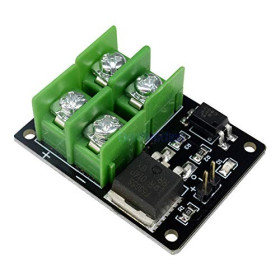


Product images are for informational purposes only and may vary slightly depending on the batch and supplier. Product specifications and prices may be subject to change without notice. We do our best to provide accurate and complete product specifications, but they may not be completely accurate. If you encounter any such situation, please let us know.
The product is intended for specialists and requires qualified and authorized personnel. The product does not include assembly/use instructions . Putting the product into operation by unqualified persons leads to the loss of the warranty according to the Terms and Conditions on the site.
The specified technical parameters (current, power, etc.) represent maximum allowable values under ideal operating conditions. For safe use and optimal lifespan, it is recommended to operate the product continuously at no more than 50% of the specified maximum values.
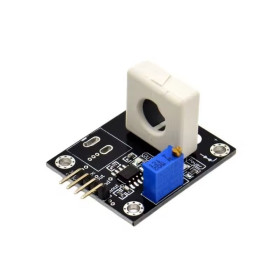
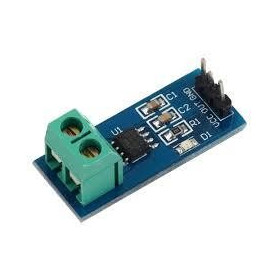
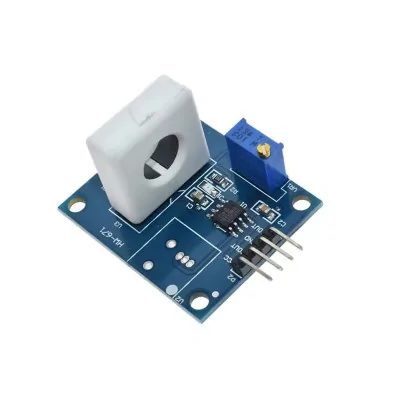
Hall Current Sensor Module, WCS1800, AC-DC, 35A, 5V
Hall current sensor for Arduino and 5V systems, measures without breaking the circuit by passing the conductor through the hole. Offers proportional analog output AOUT for bidirectional DC monitoring up to +/-35A and AC up to 25A, plus digital output DOUT with adjustable threshold from potentiometer for overcurrent alarm, with LED indicator.
Shipping by Thursday 22 October
Buying this product earns you 2.81 RON in loyalty points.

International fast shipping within EU. Free Shipping for orders above 100 EUR in most EU countries.

We ship from our stock within 24H

You earn points with every order, worth 5%.
The WCS1800 module is a Hall current sensor, compatible with Arduino and other 5V development boards, simple and practical, with two useful outputs for automation and protection. On the analog output AOUT it provides a voltage signal proportional to the measured current, ideal for ADC reading and continuous monitoring. On the digital output DOUT it provides a TTL threshold-type signal, where you can set the limit current from the potentiometer, and when the actual current exceeds the threshold, the output switches and the overcurrent LED lights up.
The sensor allows measurement without interrupting the circuit; pass the conductor through the module's hole and you can monitor bidirectional DC current up to +/-35A or AC current up to 25A on the analog output.
DOUT can only be used with DC current because DOUT is a comparator output on a threshold, and the AC signal periodically goes above and below the threshold each half-cycle, which causes DOUT to rapidly switch between 0 and 1 and no longer provide a stable, useful level. For AC on analog with the WCS1800 you use AOUT in ADC and calculate the amplitude or RMS, since AOUT is a voltage centered on Vcc/2 that oscillates around it.
It is suitable for consumption monitoring, overload detection, overcurrent protection, motor control, and power management systems.
Specifications:
Supply voltage: DC 5V
Analog current detection range: DC +/-35A
Analog current detection range: AC 25A
Linearity: 60mV/A
DOUT limit current range: 0.5A-35A
Outputs: Analog AOUT
Outputs: TTL DOUT
Indicator: Overcurrent LED
Board size: 37x31mm
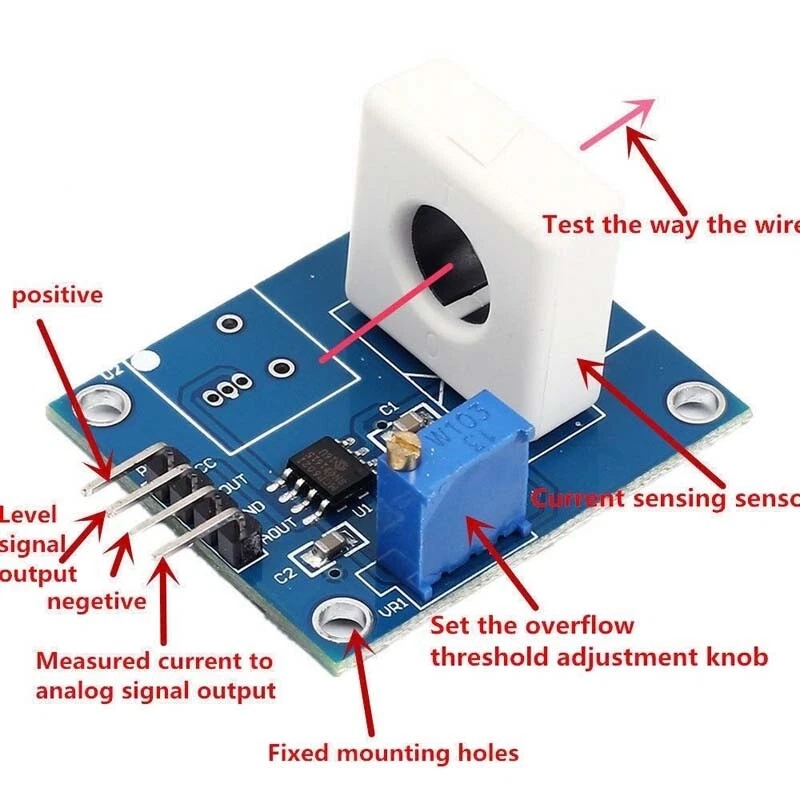
Pinout:
| Pin | Name | Type | Role |
|---|---|---|---|
| VCC | Power supply plus | Power | 5V DC |
| DOUT | Digital output | TTL | High or low depending on the set threshold |
| GND | Ground | Ground | Common 0V |
| AOUT | Analog output | Analog | Voltage proportional to current |
Usage:
Turn off the power before installation.
Pass a single conductor through the sensor hole, respecting the direction indicated by the arrow on the module.
Connect VCC to 5V and GND to the common ground with the microcontroller.
For continuous measurement, connect AOUT to an ADC pin.
For threshold alarm, connect DOUT to a digital pin.
Setting DOUT threshold with LED:
Set the desired current in the circuit, for example 1A.
Slowly turn the potentiometer until the LED just lights up, then stop adjusting.
After setting, at current above the threshold, DOUT switches to high level according to the module.
For stable results, calibrate at zero current and avoid strong external magnetic field sources near the module.
Current-voltage relation on AOUT:
Formula: Vout = Vcc0.5 ± IaK
Vcc: 5V
K: 60mV/A
Ia: measured current, with sign depending on direction
Example at 1A, Vcc 5V:
positive direction: Vout = 2.5 + 0.06 = 2.56V
negative direction: Vout = 2.5 - 0.06 = 2.44V
- tension
- NEEDLE
- Supply voltage
- 5 V
- Sensor chip
- WCS1800
- Maximum measured current
- 35 A
Produs destinat utilizarii in proiecte electronice, automatizari, prototipare, educatie si cercetare.
Produsul trebuie utilizat numai conform specificatiilor tehnice mentionate in descriere si/sau in documentatia produsului.
Avertismente generale de siguranta:
Nu utilizati produsul la tensiuni, curenti sau temperaturi peste valorile specificate.
Montajul si conectarea trebuie realizate de persoane cu cunostinte tehnice minime in domeniul electric/electronic.
Evitati scurtcircuitele, inversarea polaritatii si conectarea gresita a alimentarii.
Nu lasati produsul alimentat nesupravegheat in timpul testelor.
Produsul nu este jucarie si nu este destinat copiilor.
Pentru modulele electronice, se recomanda utilizarea in carcase, panouri sau montaje protejate, dupa caz.
Identificare produs:
Denumirea produsului, codul/SKU-ul si caracteristicile tehnice sunt mentionate in pagina produsului si/sau pe eticheta ambalajului.
Producator / Importator / Distribuitor:
Sigmanortec S.R.L.
Calea Bucuresti nr. 9, Targu Jiu, Gorj, Romania
E-mail: [email protected]
Website: www.sigmanortec.ro
Persoana responsabila in UE:
Sigmanortec S.R.L.
Calea Bucuresti nr. 9, Targu Jiu, Gorj, Romania
E-mail: [email protected]
Documentatie si siguranta:
Pentru informatii suplimentare, fise tehnice, declaratii de conformitate sau instructiuni, ne puteti contacta la [email protected].
DC Test Code:
// WCS1800 DC example on Arduino UNO
// Measures DC current from AOUT
// Connection
// VCC -> 5V
// GND -> GND
// AOUT -> A0
// DOUT optional -> D2
#include <Arduino.h>
const int PIN_AOUT = A0;
const int PIN_DOUT = 2;
const float VREF = 5.0;
const float K = 0.060; // 60mV/A
float offsetV = 2.5;
float readVoltageA0() {
int raw = analogRead(PIN_AOUT);
return (raw * VREF) / 1023.0;
}
float calibrateOffset(int samples) {
double sum = 0.0;
for (int i = 0; i < samples; i++) {
sum += readVoltageA0();
delay(2);
}
return (float)(sum / samples);
}
float measureCurrentDC(int samples) {
double sumI = 0.0;
for (int i = 0; i < samples; i++) {
float v = readVoltageA0();
float iA = (v - offsetV) / K;
sumI += iA;
delay(2);
}
return (float)(sumI / samples);
}
void setup() {
Serial.begin(115200);
pinMode(PIN_DOUT, INPUT);
delay(300);
// Offset calibration at zero current
offsetV = calibrateOffset(400);
Serial.print("Offset V: ");
Serial.println(offsetV, 4);
}
void loop() {
// Average over multiple readings for stability
float iDc = measureCurrentDC(200);
int dout = digitalRead(PIN_DOUT);
Serial.print("IDC: ");
Serial.print(iDc, 2);
Serial.print(" A DOUT: ");
Serial.println(dout);
delay(500);
}
AC Test Code:
// WCS1800 AC example on Arduino UNO
// Measures Irms from AOUT
// Connection
// VCC -> 5V
// GND -> GND
// AOUT -> A0
// DOUT optional -> D2
#include <Arduino.h>
#include <math.h>
const int PIN_AOUT = A0;
const int PIN_DOUT = 2;
const float VREF = 5.0;
const float K = 0.060; // 60mV/A
float offsetV = 2.5;
float readVoltageA0() {
int raw = analogRead(PIN_AOUT);
return (raw * VREF) / 1023.0;
}
float calibrateOffset(int samples) {
double sum = 0.0;
for (int i = 0; i < samples; i++) {
sum += readVoltageA0();
delay(2);
}
return (float)(sum / samples);
}
float measureIrms(unsigned long windowMs) {
unsigned long t0 = millis();
double sumSq = 0.0;
unsigned long n = 0;
while (millis() - t0 < windowMs) {
float v = readVoltageA0();
float dv = v - offsetV;
float i = dv / K;
sumSq += (double)i * (double)i;
n++;
delayMicroseconds(300); // Increase or decrease depending on how fast you want to sample
}
if (n == 0) return 0.0;
return (float)sqrt(sumSq / (double)n);
}
void setup() {
Serial.begin(115200);
pinMode(PIN_DOUT, INPUT);
delay(300);
// Offset calibration at zero current
offsetV = calibrateOffset(400);
Serial.print("Offset V: ");
Serial.println(offsetV, 4);
}
void loop() {
// 200ms captures multiple periods at 50Hz
float irms = measureIrms(200);
int dout = digitalRead(PIN_DOUT);
Serial.print("Irms: ");
Serial.print(irms, 2);
Serial.print(" A DOUT: ");
Serial.println(dout);
delay(500);
}