

Product images are for informational purposes only and may vary slightly depending on the batch and supplier. Product specifications and prices may be subject to change without notice. We do our best to provide accurate and complete product specifications, but they may not be completely accurate. If you encounter any such situation, please let us know.
The product is intended for specialists and requires qualified and authorized personnel. The product does not include assembly/use instructions . Putting the product into operation by unqualified persons leads to the loss of the warranty according to the Terms and Conditions on the site.
The specified technical parameters (current, power, etc.) represent maximum allowable values under ideal operating conditions. For safe use and optimal lifespan, it is recommended to operate the product continuously at no more than 50% of the specified maximum values.
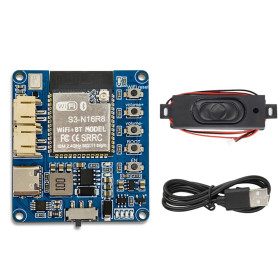
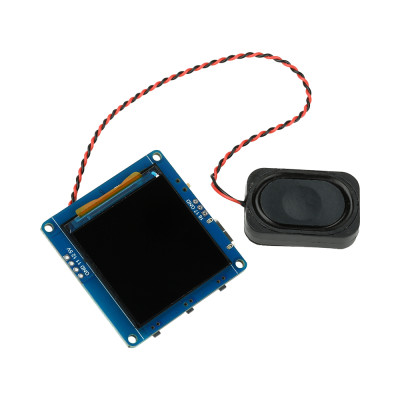
AI Voice Assistant Module, with ESP32 S3, LCD 1.54inch, Audio
Compact solution for voice assistant projects with display, based on ESP32-S3, offers Wi-Fi and Bluetooth for quick integration into smart home and prototypes, includes ES8311 audio codec with integrated microphone and speaker output, displays the conversation and status on a 1.54-inch color LCD screen, supports switching between AI models such as Qwen, DeepSeek, and Doubao via xiaozhi.me, and is easy to program via USB-C.
Buying this product earns you 7.74 RON in loyalty points.

International fast shipping within EU. Free Shipping for orders above 100 EUR in most EU countries.

We ship from our stock within 24H

You earn points with every order, worth 5%.
The Xiaozhi AI ESP32-S3 module is a compact, all-in-one solution for developing smart devices with voice interaction and visual display, designed for electronics enthusiasts, developers, and hobbyists who want to explore the world of AI assistants on affordable hardware.
At its core is the dual-core ESP32-S3 chip running at 240 MHz, همراه with 16MB Flash and 8MB PSRAM, providing generous resources for running AI applications with fast response times. 2.4 GHz Wi-Fi and Bluetooth 5 LE connectivity ensure easy integration into smart home projects, personal assistants, or educational devices.
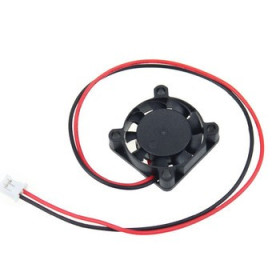
The module integrates the ES8311 audio codec, which handles both sound capture through the built-in microphone and audio playback to an external speaker connected via the PH2.0 connector, enabling natural conversations with the chosen AI assistant.
It supports switching between popular AI models such as Qwen, DeepSeek, and Doubao through the xiaozhi.me platform, offering high flexibility for various use cases. The source code can also be customized to be used with APIs from other platforms such as ChatGPT.
The 1.54-inch color LCD display with a 240x240-pixel resolution shows conversation content, system status, and battery level in real time, making interaction more intuitive and enjoyable. The board includes dedicated BOOT and volume control buttons (+ / -), a 3.7V Li-Ion battery management circuit with PH2.0 connector, and programming and charging are conveniently done through the USB Type-C port.
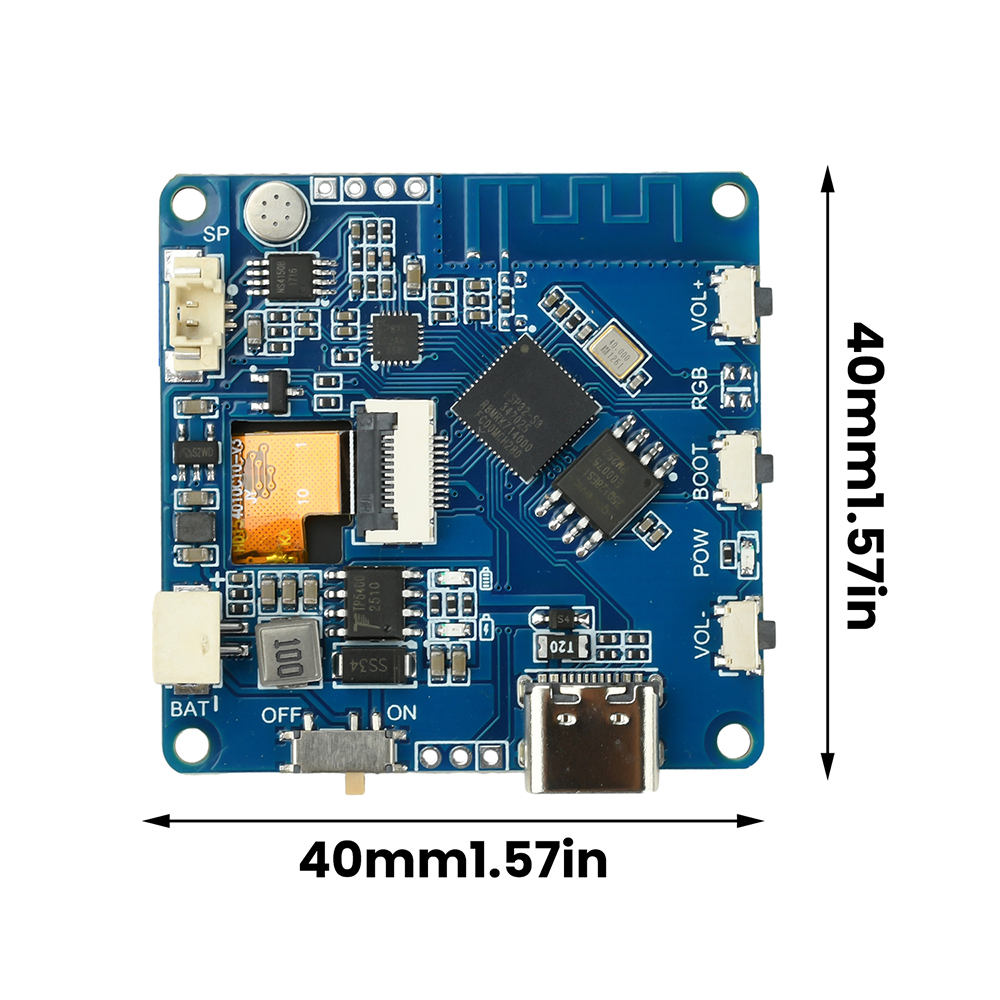
The compact 40 x 40 mm dimensions make the module easy to integrate into custom enclosures or projects. It is compatible with ESP32-S3 platforms, can be programmed using Arduino IDE, ESP-IDF, or MicroPython, and integrates natively with the xiaozhi.me ecosystem.
The module ships from the factory in Chinese and requires flashing new firmware set to English or Romanian, according to the instructions below.
Specifications:
Chip: ESP32-S3 dual-core 240 MHz
SRAM memory: 512KB
PSRAM memory: 8MB
Flash memory: 16MB
Connectivity: 2.4 GHz Wi-Fi, Bluetooth 5 LE
Audio codec: ES8311
Microphone: Integrated
Audio output: External speaker, PH2.0 connector
Display: 1.54-inch color LCD, 240x240 pixels
Battery: 3.7V Li-Ion, PH2.0 connector
USB: Type-C (programming and charging)
Buttons: BOOT, Volume +, Volume -
Supported AI models: Qwen, DeepSeek, Doubao
Platform: xiaozhi.me
IDE compatibility: Arduino IDE, ESP-IDF, MicroPython
Dimensions: 40 x 40 mm
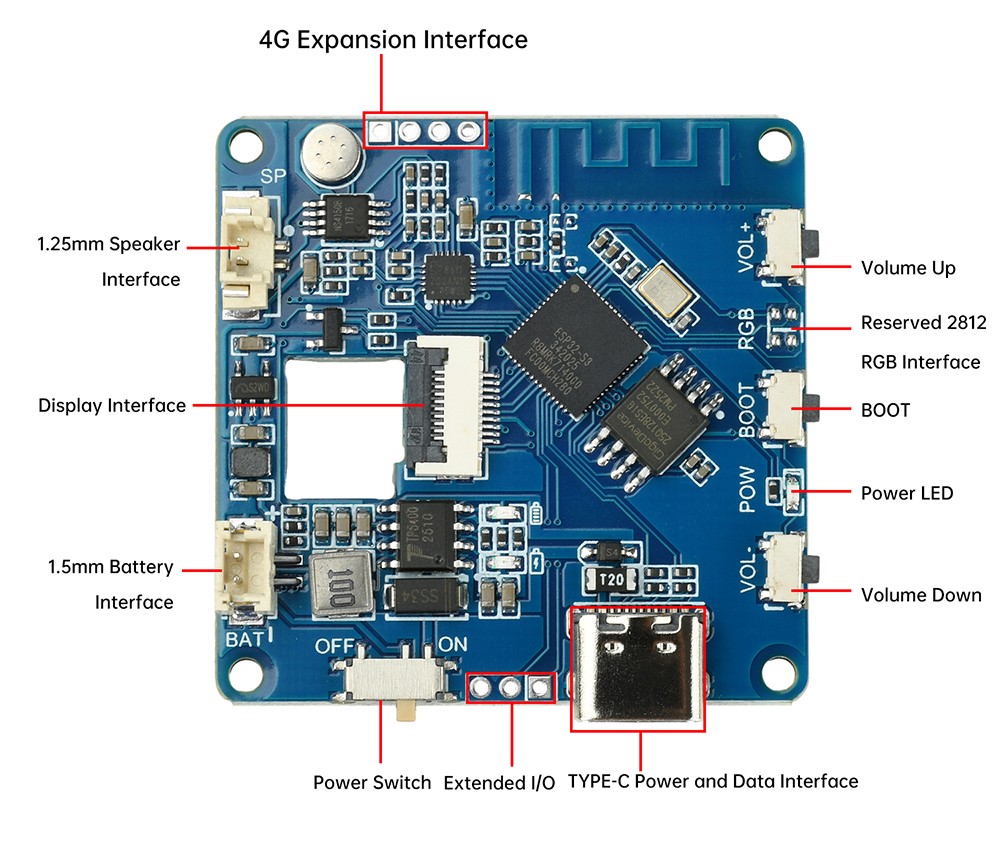
Layout:
Usage:
Xiaozhi AI firmware on LCTECH ESP32-S3 1.54 LCD
What do you need?
- LCTECH ESP32-S3 board with 1.54-inch LCD screen
- Good-quality USB Type-C cable (important!)
- Windows PC
- xiaozhi.me account
Step 1 - Install tools
In CMD (Command Prompt):
Python:
Download from https://python.org
During installation, check "Add Python to PATH"
esptool:
| pip install esptool |
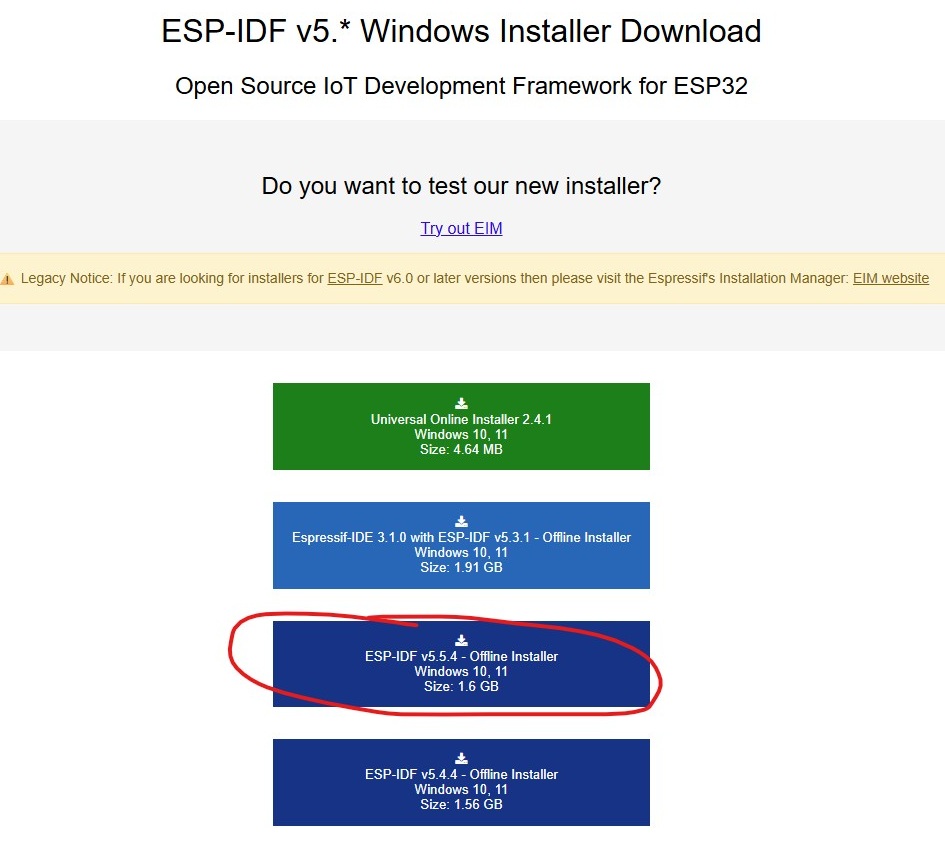
ESP-IDF:
Download from https://dl.espressif.com/dl/esp-idf/
Install version v5.5.x
Step 2 - Download source code
In ESP-IDF PowerShell:
|
git clone https://github.com/aredridel/xiaozhi-esp32.git -b as/lc-s3-wifi-1.54tft path-to-folder\xiaozhi-lctech |
The command downloads directly into the folder where PowerShell is running. We add the folder path to change this.
Step 3 - Build
In ESP-IDF PowerShell (from the Start Menu):
Navigate to the downloaded folder:
| cd path-to-folder\xiaozhi-lctech |
Run in order:
| $env:IDF_COMPONENT_MANAGER=1 |
| idf.py set-target esp32s3 |
Wait a few minutes for it to finish. When it is done, continue with the command:
| idf.py menuconfig |
In menuconfig:
Xiaozhi Assistant → Board Type → select lc-s3-wifi-1.54tft
Xiaozhi Assistant → Default Language → select English or Romanian
Press S to save → Q to exit
Build:
| idf.py build |
The first time takes 10–15 minutes.
Step 4 - Flashing
In ESP-IDF PowerShell:
- Disconnect the board
- Hold down the BOOT button on the board
- Connect the USB cable to the PC
- Release BOOT after 2 seconds
Run:
| idf.py -p COM3 flash |
(replace COM3 with your port from Device Manager)
Step 5 - Configure xiaozhi.me
Restart the board normally (without BOOT)
On your phone, connect to the ESP’s Wi-Fi
Open the browser at http://192.168.4.1 (or the address shown on the screen). Normally, the browser opens automatically.
Select your Wi-Fi network and enter the password
Go to https://xiaozhi.me and sign up
Click Add Device → enter the 6-digit code shown on the board’s screen
Step 6 - Configure assistant
On xiaozhi.me:
Configure Character
Dialogue Language → Romanian
Voice Role → Romanian voice
Role Introduction → describe how you want the assistant to behave
Save
Usage:
Press BOOT once → the assistant is online, listens, and responds. To exit conversation mode, press BOOT again.
Dimensions diagram:
Useful resources:
Both the firmware and the backup .bin file can be found here: https://drive.google.com/drive/folders/16_IV5PxOgeMhIoVSAfZdNcENerfRZiJN?usp=sharing
- Screen size
- 1.54 inch
- Chip / Controller
- ESP32-S3
- Audio features
- Da
Produs destinat utilizarii in proiecte electronice, automatizari, prototipare, educatie si cercetare.
Produsul trebuie utilizat numai conform specificatiilor tehnice mentionate in descriere si/sau in documentatia produsului.
Avertismente generale de siguranta:
Nu utilizati produsul la tensiuni, curenti sau temperaturi peste valorile specificate.
Montajul si conectarea trebuie realizate de persoane cu cunostinte tehnice minime in domeniul electric/electronic.
Evitati scurtcircuitele, inversarea polaritatii si conectarea gresita a alimentarii.
Nu lasati produsul alimentat nesupravegheat in timpul testelor.
Produsul nu este jucarie si nu este destinat copiilor.
Pentru modulele electronice, se recomanda utilizarea in carcase, panouri sau montaje protejate, dupa caz.
Identificare produs:
Denumirea produsului, codul/SKU-ul si caracteristicile tehnice sunt mentionate in pagina produsului si/sau pe eticheta ambalajului.
Producator / Importator / Distribuitor:
Sigmanortec S.R.L.
Calea Bucuresti nr. 9, Targu Jiu, Gorj, Romania
E-mail: [email protected]
Website: www.sigmanortec.ro
Persoana responsabila in UE:
Sigmanortec S.R.L.
Calea Bucuresti nr. 9, Targu Jiu, Gorj, Romania
E-mail: [email protected]
Documentatie si siguranta:
Pentru informatii suplimentare, fise tehnice, declaratii de conformitate sau instructiuni, ne puteti contacta la [email protected].
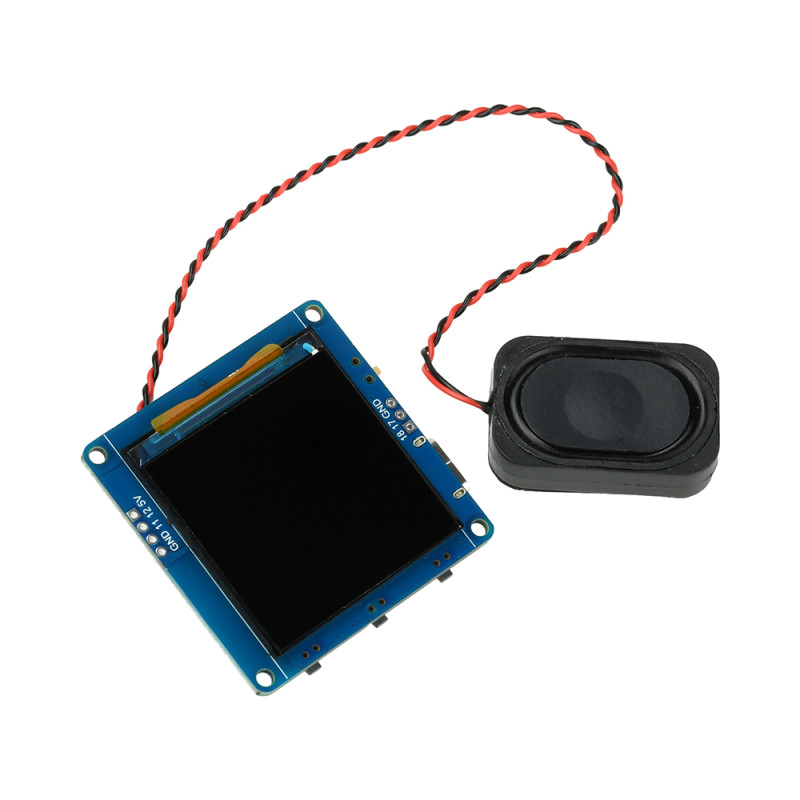
The AI Voice Assistant Module with ESP32-S3 is a compact development board with an LCD screen and external speaker, ready to run a conversational voice assistant powered by cloud-based language models. It's suitable for smart home projects, smart office setups, interactive toys, or as a learning platform for voice processing and AI service integration.
In this tutorial we'll show you step by step how to get the board up and running out of the box, from connecting the speaker to flashing the Xiaozhi firmware and setting up your xiaozhi.me account, so you can have your first conversation with the assistant.
How it works:
The built-in microphone picks up your voice, and the ES8311 audio codec converts the analog signal into a digital stream that the ESP32-S3 sends over WiFi, compressed in Opus format, to the xiaozhi.me cloud service. There, speech recognition runs first, followed by the language model of your choice among Qwen, DeepSeek, or Doubao, and then voice synthesis, after which the audio response is sent back to the board and played through the external speaker connected to the PH2.0 connector.
At the same time, the 1.54 inch LCD screen, with a resolution of 240x240 pixels and an ST7789 controller on the SPI interface, displays the conversation text, connection status, and battery level. Pressing the BOOT button starts or stops a listening session, while the volume buttons adjust the sound level played by the speaker.
What you need:
Besides the module, you'll need a USB Type-C data cable, not just a charging one, a Windows computer, access to a 2.4 GHz WiFi network, and a free account on the xiaozhi.me platform. If you want to use the board on the go, a 3.7V Li-Ion battery with a PH2.0 connector is optional.
- 1 x AI Voice Assistant Module, with ESP32 S3, LCD 1.54inch, Audio
- 1 x Data cable tester module, DT3, Lightning, Type-C, MicroUSB
- 1 x Dual charger for 18650 Li-Ion batteries
Connections:
Connect the external speaker to the PH2.0 connector on the edge of the board before the first power-up, respecting the wire polarity, so that the firmware can properly initialize the ES8311 audio codec at boot.
Power the board through the USB Type-C port using a good data cable, the same port is also used for programming. If you have a 3.7V Li-Ion battery, connect it to the dedicated battery PH2.0 connector, the battery management circuit takes care of charging as long as the USB remains connected.
Install Python on your computer from python.org, checking the Add Python to PATH option, then install the esptool utility with the command pip install esptool and the ESP-IDF environment version v5.5.x from the Espressif page, because the Xiaozhi firmware is compiled with this toolchain and isn't uploaded like a simple Arduino sketch.
Open ESP-IDF PowerShell from the Start menu and clone the firmware source prepared for this board model with git clone, then navigate into the downloaded folder with the cd command.
Run idf.py set-target esp32s3 to set the target chip, then idf.py menuconfig and select the lc-s3-wifi-1.54tft board type in the Xiaozhi Assistant menu along with your desired language, English or Romanian, because the firmware comes with Chinese set by default and needs to be explicitly reconfigured before compiling.
Save the configuration from menuconfig and build with idf.py build. The first build takes 10 - 15 minutes, because it generates all the ESP-IDF components used by the project.
Disconnect the board from USB, press and hold the BOOT button, reconnect the cable, release BOOT after about 2 seconds to enter upload mode, then run idf.py -p COM3 flash, replacing COM3 with the port shown in Device Manager.
Once flashing is finished, restart the board normally, without holding BOOT. Connect from your phone to the temporary WiFi network broadcast by the module and open 192.168.4.1 in your browser to enter your WiFi network name and password.
Create an account on xiaozhi.me, add the device by entering the 6-digit code shown on the LCD screen, then from the Configure Character section set the dialogue language, voice, and the assistant's behavior mode.
Common issues:
The board doesn't enter flash mode and you get the Failed to connect error: usually BOOT wasn't held long enough or the USB cable is charging-only, without data wires. Repeat the BOOT button sequence before connecting the cable and use a verified cable.
The screen stays black after flashing: check that you correctly selected the lc-s3-wifi-1.54tft board in idf.py menuconfig before compiling, since selecting the wrong board initializes a different display controller and the screen won't turn on.
No sound is heard or the speaker crackles at power-up: check the wire polarity at the PH2.0 connector and make sure the speaker is connected before powering the board, the ES8311 codec only initializes once at boot.
The module won't connect to the WiFi network: 5 GHz networks aren't supported, use only a 2.4 GHz network and check the password entered in the configuration portal at 192.168.4.1.
The assistant still responds in Chinese even though you selected another language: go back into idf.py menuconfig, confirm the selection under Default Language, rebuild with idf.py build and reflash the board, the setting doesn't change automatically with a partial reflash.
The build fails with errors about missing components: run the command $env:IDF_COMPONENT_MANAGER=1 again before idf.py set-target and make sure you're using exactly the recommended ESP-IDF v5.5.x version.
Limitations and tips:
The firmware depends on the xiaozhi.me cloud service, without an internet connection the board can't process voice commands, because speech recognition and AI responses run on the server, not locally on the ESP32-S3.
The built-in microphone picks up voice well at short range, in a quiet room, strong background noise can reduce speech recognition accuracy and can trigger incorrect responses.
The compact 40 x 40 mm size and the ability to power the board from a Li-Ion battery make it suitable for portable projects, for longer autonomy we recommend a higher capacity battery connected to the dedicated PH2.0 connector.
Once you've confirmed it works with the Qwen, DeepSeek, or Doubao models, the source code can be adapted for other language model APIs, however this step requires C/C++ programming knowledge and familiarity with the structure of ESP-IDF projects.