
Product images are for informational purposes only and may vary slightly depending on the batch and supplier. Product specifications and prices may be subject to change without notice. We do our best to provide accurate and complete product specifications, but they may not be completely accurate. If you encounter any such situation, please let us know.
The product is intended for specialists and requires qualified and authorized personnel. The product does not include assembly/use instructions . Putting the product into operation by unqualified persons leads to the loss of the warranty according to the Terms and Conditions on the site.
The specified technical parameters (current, power, etc.) represent maximum allowable values under ideal operating conditions. For safe use and optimal lifespan, it is recommended to operate the product continuously at no more than 50% of the specified maximum values.
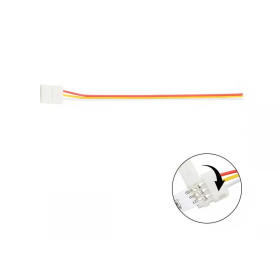
JST 3-pin extension cable, 20 AWG, for WS2812 LED strip, 1 meter
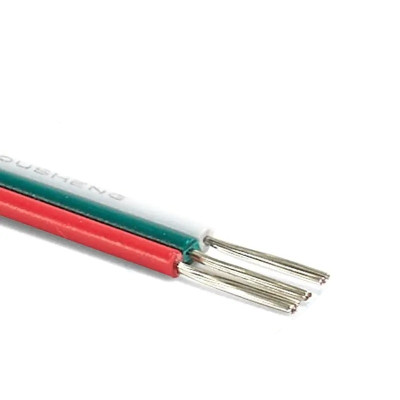
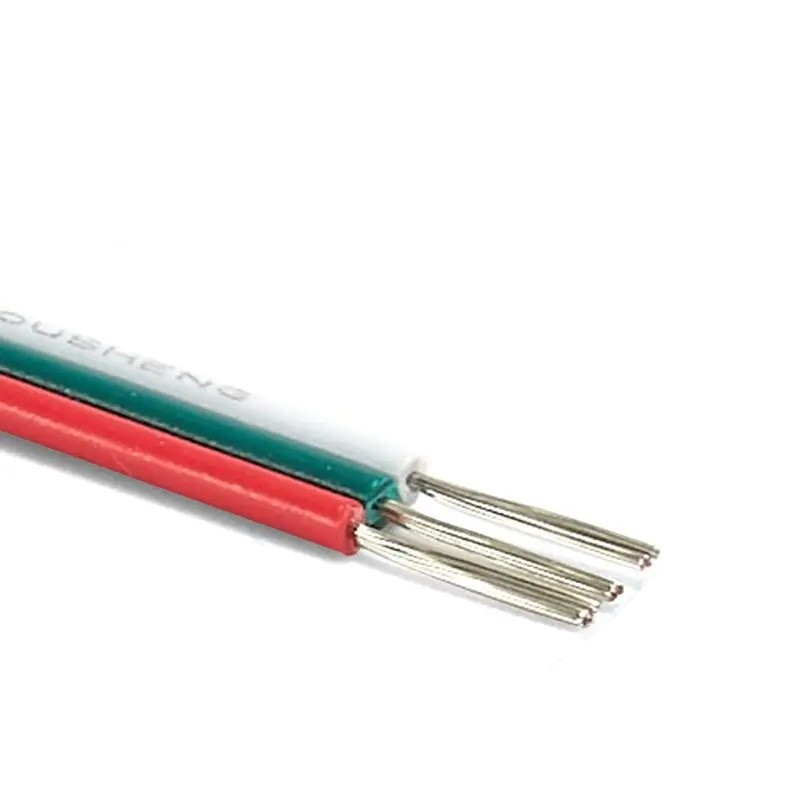
20 AWG 3-wire extension cable with JST SM connector, used to extend the connection between a WS2812 or WS2811 addressable LED strip and the controller or power supply. The red, green, and white wires are easy to identify for power, data signal, and ground; the conductor is copper with PVC insulation, and the 300 VDC rated voltage covers any 5 V or 12 V installation. Suitable for LED installations, control panels, and DIY projects with addressable strips.
Buying this product earns you 0.37 RON in loyalty points.

International fast shipping within EU. Free Shipping for orders above 100 EUR in most EU countries.

We ship from our stock within 24H

You earn points with every order, worth 5%.
The JST SM 3-pin extension cable is used to extend the connection between an addressable LED strip and the controller or power source that drives it, keeping the power wire, data wire, and ground separate. It is suitable for setups where the controller or power supply cannot be placed next to the strip, for runs through walls or furniture, and for DIY decorative or special-effect lighting projects.
The cable has 3 x 20 AWG wires, each a different color, for quick identification of each wire’s role during connection. The conductor is copper with PVC insulation, and the insulation’s rated voltage is 300 VDC, which easily covers common 5 V or 12 V installations for addressable LED strips. The maximum operating temperature is 80 °C.
Among the main features are the 3 colored wires in red, green, and white, the copper conductor with PVC insulation, and the JST SM 3-pin connector type; the cable itself is not powered, but serves only to extend the power and signal path between the power source or controller and the LED strip.
The cable is compatible with WS2812 and WS2811 addressable LED strips, as well as other 12 V RGB strips, and can be used between them and any dedicated LED strip controller or development board such as Arduino or ESP32 that drives addressable strips, as long as the wire order is respected at both ends.
Specifications:
Insulation rated voltage: 300 VDC
Type: extension cable
Number of wires: 3
Conductor size: 20 AWG
Wire colors: red, green, white
Conductor: copper
Insulation: PVC
Connector: JST SM 3-pin
Maximum operating temperature: 80 °C
Compatibility: WS2812, WS2811 addressable LED strips and other 12 V RGB strips
Pinout:
On cables of this type, the wire colors follow the usual convention for JST SM 3-pin pigtails for WS2812 / WS2811 strips, as shown in the table below.
| Connector | Pin | Function |
|---|---|---|
| End A (toward controller / power supply) | Red wire | Positive power (+V) |
| End A (toward controller / power supply) | Green wire | Data signal |
| End A (toward controller / power supply) | White wire | Ground (GND) |
| End B (toward LED strip) | Red wire | Positive power (+V / +12V) |
| End B (toward LED strip) | Green wire | Data input (DIN) |
| End B (toward LED strip) | White wire | Ground (GND) |
Usage:
Identify the 3 wires by color, red, green, and white, typically used for power, data signal, and ground.
Connect the end toward the controller or power supply so that the red wire goes to the positive power output, the green wire to the data output, and the white wire to ground.
Connect the end toward the LED strip so that the red wire goes to the strip’s power pin, the green wire to the DIN data pin, and the white wire to the strip’s ground.
Respect the data signal direction; the green wire must always go to the input end of the strip, usually marked DIN or with arrows indicating the signal direction, never to the DOUT end.
Do not reverse power and ground, to avoid damaging the LED strip or controller.
Solder or crimp the joints at both ends and insulate each joint with heat-shrink tubing to prevent short circuits and wire oxidation over time.
For long strips or high-current loads, power the strip additionally from the far end as well, to reduce voltage drop along the cable length.
Do not exceed the cable’s 300 VDC insulation rating or its 80 °C maximum operating temperature.
Dimension diagram:
.jpeg)
- Connector type
- JST
- Number of pins
- 3
- Wire gauge (AWG)
- 20 AWG
Produs destinat utilizarii in proiecte electronice, automatizari, prototipare, educatie si cercetare.
Produsul trebuie utilizat numai conform specificatiilor tehnice mentionate in descriere si/sau in documentatia produsului.
Avertismente generale de siguranta:
Nu utilizati produsul la tensiuni, curenti sau temperaturi peste valorile specificate.
Montajul si conectarea trebuie realizate de persoane cu cunostinte tehnice minime in domeniul electric/electronic.
Evitati scurtcircuitele, inversarea polaritatii si conectarea gresita a alimentarii.
Nu lasati produsul alimentat nesupravegheat in timpul testelor.
Produsul nu este jucarie si nu este destinat copiilor.
Pentru modulele electronice, se recomanda utilizarea in carcase, panouri sau montaje protejate, dupa caz.
Identificare produs:
Denumirea produsului, codul/SKU-ul si caracteristicile tehnice sunt mentionate in pagina produsului si/sau pe eticheta ambalajului.
Producator / Importator / Distribuitor:
Sigmanortec S.R.L.
Calea Bucuresti nr. 9, Targu Jiu, Gorj, Romania
E-mail: [email protected]
Website: www.sigmanortec.ro
Persoana responsabila in UE:
Sigmanortec S.R.L.
Calea Bucuresti nr. 9, Targu Jiu, Gorj, Romania
E-mail: [email protected]
Documentatie si siguranta:
Pentru informatii suplimentare, fise tehnice, declaratii de conformitate sau instructiuni, ne puteti contacta la [email protected].
This 3-wire 20 AWG extension cable with JST SM connector is used to move the controller or power supply further away from the addressable LED strip without modifying the data signal or power passing through it. The tutorial below shows how to use the cable in a complete setup without a development board and without programming, between a 12 V power source, an SP002E pixel controller and a 12 V WS2811 LED strip.
How it works:
The cable carries 3 lines in parallel, positive power, data signal and ground, between two ends with no internal electronics. The wires are colored differently, red for power, green for data and white for ground, to avoid confusion between the two ends.
Being a simple conductor, the cable introduces resistance proportional to its length. A 20 AWG wire has around 33 mOhm per meter, so for a 2 meter cable the resistance on the power line is approximately 66 mOhm round trip. At a current of 2 A, the resulting voltage drop is approximately 0.13 V, that is 2 A multiplied by 0.066 Ohm, a negligible value for a short setup, but which increases proportionally with cable length and the number of LEDs switched on simultaneously on the strip.
The data signal of WS2811 and WS2812 strips flows in one direction only, from the DIN pin to DOUT, encoded as a single serial wire with very short pulses. The cable does not change this logic, but its length adds parasitic resistance and capacitance on the data line, which is why very long extensions can distort the signal if they are not short and well insulated.
What you need:
- 1 x LED Wire JST Connector Extension 3Pin 20AWG Multicolor
- 1 x Power supply 12V, 2A
- 1 x SP002E LED pixel controller
- 1 x LED strip 12V 120 smd 2835, 1m
Connection:
The example setup connects the 12 V power supply to the SP002E controller, and the controller is connected through this extension cable to the 12 V WS2811 LED strip.
| Product pin | Connects to | Role |
|---|---|---|
| Red wire, end A | SP002E controller output + | Positive power from controller to strip |
| Green wire, end A | SP002E controller output D | Data signal from controller to strip |
| White wire, end A | SP002E controller output G | Common ground between controller and strip |
| Red wire, end B | WS2811 strip pin +12V | Positive power to strip |
| Green wire, end B | WS2811 strip pin DIN | Data signal input to strip |
| White wire, end B | WS2811 strip pin GND | Common ground of strip |
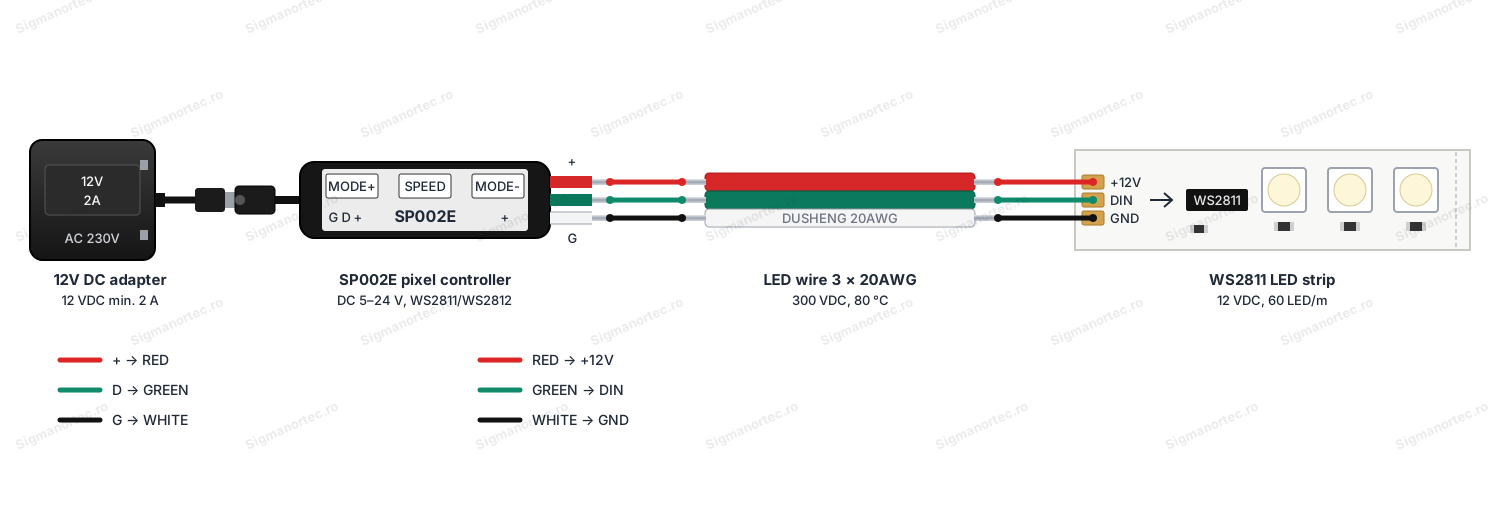
The power source must have the correct voltage for the strip used, 12 V for a 12 V WS2811 strip or 5 V for a 5 V WS2812B strip, and the SP002E controller accepts any voltage between 5 and 24 V, so it adapts automatically to the chosen source. Ground must be common between the controller and the strip, and the data wire does not need a logic level converter in this setup.
Configuration:
The cable itself has no electronic configuration, the only check needed is that the two ends are connected in the same order, red to red, green to green and white to white, between the controller and the strip.
Before powering the setup, solder or crimp the connections between the cable wires and the controller pins, and the strip pins, and cover each connection with heat shrink tubing to avoid short circuits between wires.
The SP002E controller has 3 buttons, MODE+, SPEED and MODE-, which change the light patterns and their speed after the setup is powered, and the active setting is automatically stored until the next button press.
Usage example:
For a complete setup, first connect the cable between the SP002E controller output and the DIN input of the WS2811 strip, respecting the colors from the table above, then connect the 12 V power supply to the controller input.
When powered, the LED strip starts automatically on one of the 68 light patterns of the controller, and by pressing MODE+ or MODE- you switch to the next or previous pattern, and SPEED changes the speed of the current effect.
If the strip is mounted a few meters away from the controller, power it additionally from the far end to maintain uniform brightness and colors along its entire length.
Common issues:
The strip does not start at all, first check the polarity at both ends of the cable, a power wire reversed with ground can completely stop the controller or strip.
Only the first LEDs light up or colors are mixed, check if the green wire on the cable reaches the DIN pin of the strip and not DOUT, the data signal flows in one direction only.
Brightness decreases or colors become unstable towards the end of the strip, the cable and strip introduce a voltage drop over long distances, power the strip additionally at the far end.
The strips flicker or have incorrect colors occasionally, check the connections between the cable and the pins, a weak or uninsulated contact on the data wire causes signal errors.
The controller does not respond to buttons, check that the ground between the controller and the strip is common and that the white wire of the cable is well connected at both ends.
Limitations and tips:
The cable is a simple 20 AWG conductor with no protocol limitations, but the actual maximum current depends on the length used and the acceptable voltage drop on the power line, much more important for 5 V strips than for 12 V ones.
PVC insulation is resistant up to 300 VDC and 80 °C, which covers any ordinary LED strip setup, but is not designed for network installations or high temperature environments.
For outdoor setups or in humid environments, protect the connections with heat shrink tubing and, if possible, with an additional water resistant covering.
The same type of cable can be used to extend the connection between any controller and compatible addressable strip, including setups controlled directly by an Arduino or ESP32 board through a corresponding logic level.