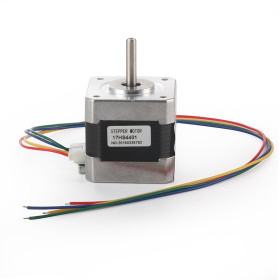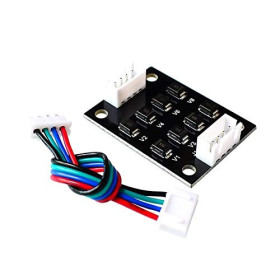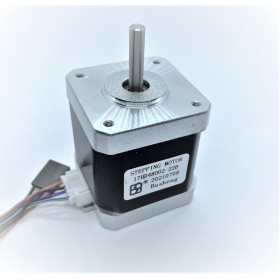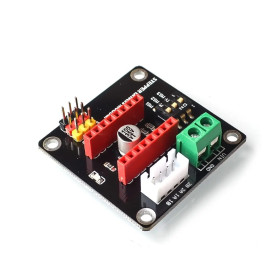

Product images are for informational purposes only and may vary slightly depending on the batch and supplier. Product specifications and prices may be subject to change without notice. We do our best to provide accurate and complete product specifications, but they may not be completely accurate. If you encounter any such situation, please let us know.
The product is intended for specialists and requires qualified and authorized personnel. The product does not include assembly/use instructions . Putting the product into operation by unqualified persons leads to the loss of the warranty according to the Terms and Conditions on the site.
The specified technical parameters (current, power, etc.) represent maximum allowable values under ideal operating conditions. For safe use and optimal lifespan, it is recommended to operate the product continuously at no more than 50% of the specified maximum values.
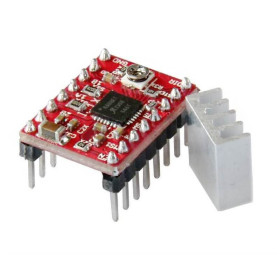
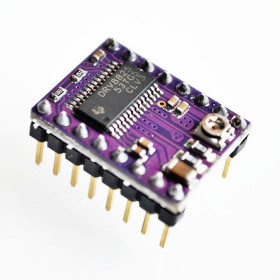
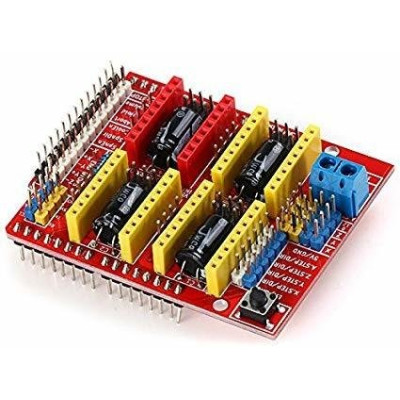
Shield CNC V3 for Arduino UNO, 4 axes, compatible with A4988 and DRV8825
The CNC Shield v3 for Arduino UNO is the practical base for controlling a CNC or 3D printer, offering 4 slots for A4988 or DRV8825 drivers, 12-36V power supply and dedicated pins for motors, limit switches and peripherals. It allows setting microstepping via jumpers and works great with GRBL firmware for precise automation projects.
Shipping by Thursday 22 October
Buying this product earns you Ft51.34 in loyalty points.

International fast shipping within EU. Free Shipping for orders above 100 EUR in most EU countries.

We ship from our stock within 24H

You earn points with every order, worth 5%.
The CNC Shield V3 turns an Arduino UNO board into a complete controller for CNC milling machines, laser engravers, plotters, and other stepper-motor projects. It mounts directly on top of the Arduino UNO board or any compatible clone based on the ATmega328P. It is designed for the open-source GRBL firmware, which interprets G-code commands received from the PC and generates the step and direction signals for the drivers.
The board features 4 slots for A4988 or DRV8825 stepper motor drivers, for the X, Y, Z, and A axes. The A axis is configured via jumpers, either to duplicate one of the X, Y, or Z axes, useful for machines with two motors on the same axis, or for independent control on pins D12 and D13, with dedicated firmware. Each slot has jumpers for microstepping selection, up to 1/16 with the A4988 and up to 1/32 with the DRV8825, and a 4-pin motor connector.
The shield also provides connectors for 6 limit switches, two for each X, Y, and Z axis. It has outputs for spindle control (enable and direction), an output for coolant, and inputs for the Abort, Hold, and Resume buttons. It also includes a header for emergency stop (E-Stop), plus access to the I2C and serial pins. The motors are powered separately, through a screw terminal, at 12 - 36V DC, while the logic section receives 5V directly from the Arduino board. It is an affordable and easy-to-wire solution for building a DIY CNC, laser engraver, or plotter, suitable for hobby use, educational projects, and prototyping.
Specifications:
Model: CNC Shield V3
Compatible board: Arduino UNO R3 and ATmega328P clones
Motor supply voltage: 12 - 36V DC (maximum 35V with A4988 drivers)
Logic power: 5V from the Arduino board
Driver slots: 4 (X, Y, Z, A)
Compatible drivers: A4988, DRV8825, and drivers with compatible pinout
Microstepping: configurable by jumpers, up to 1/16 (A4988) or 1/32 (DRV8825)
A axis: clone X, Y, or Z via jumpers, or independent control on D12 / D13
Limit switch connectors: 6 (X+, X-, Y+, Y-, Z+, Z-)
Spindle outputs: Enable, Direction
Coolant output: Coolant Enable
Control inputs: Abort, Hold, Resume, E-Stop
Motor connectors: 4 pins per axis
Compatible firmware: GRBL
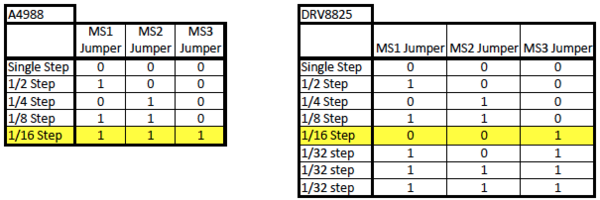
Jumper configuration depending on the driver used:
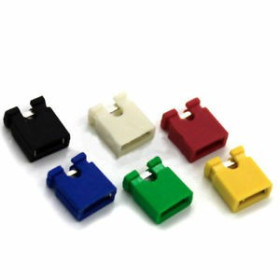
Under each driver slot there are three jumpers (M0, M1, M2). In the table, 1 represents the presence of the jumper, and 0 its absence.
Jumpers are NOT included in the package.
Note: the markings on the board correspond to GRBL 0.8. In GRBL 0.9 and 1.1, with variable spindle speed enabled by default, the Z-axis limit switch is connected to the pin marked SpnEn (D12). The PWM signal for the spindle or laser is taken from the pins marked Z+ / Z- (D11).
Usage:
Download the GRBL archive and unzip it. In Arduino IDE choose Sketch > Include Library > Add .ZIP Library and select the grbl folder inside the unzipped archive.
Open File > Examples > grbl > grblUpload and upload it to the Arduino UNO board.
Set the microstepping jumpers under each slot according to the table above, depending on the driver and the desired resolution.
Mount the shield on top of the Arduino UNO board, making sure all pins are inserted correctly into the connectors.
Install the drivers with the correct orientation: the EN pin on the shield must match the Enable pin on the driver. Installing them backwards will destroy the driver and may damage the shield.
Mount the heatsinks on the driver chips.
If you use the A axis for cloning, place the jumpers on the STEP and DIR positions of the axis you want to duplicate (X, Y, or Z).
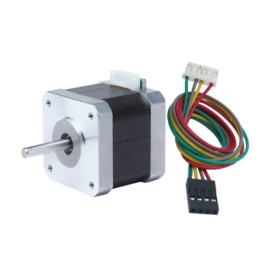
Connect the stepper motors to the 4-pin connectors, respecting the coil pairs (1A-1B and 2A-2B). If a motor rotates in the wrong direction, rotate the connector 180 degrees or reverse the direction in the $3 setting.
Connect the limit switches between the signal pin and GND. GRBL uses internal pull-up resistors, so normally open (NO) contacts work without additional components. For the Z axis, use the SpnEn pin (D12) in GRBL 0.9 and 1.1.
Connect the 12 - 36V DC power supply to the screw terminal, observing polarity. With A4988 drivers, do not exceed 35V.
With power on, adjust the current of each driver using the potentiometer on the driver (Vref voltage). Use the formula from the driver documentation and the motor's rated current.
Connect the Arduino board to the PC via USB and open GRBLcontrol or another GRBL control program, at 115200 baud.
Configure the number of steps per millimeter ($100, $101, $102), maximum speeds ($110 - $112), and accelerations ($120 - $122) according to the machine mechanics.
Test the movement of each axis with manual jog commands, without the tool installed.
For laser engravers with GRBL 1.1, enable laser mode with $32=1 and connect the laser control to the PWM output (pins marked Z+ / Z-, D11).
Attention: do not connect or disconnect the motors or drivers while the shield is powered, as the drivers may be destroyed instantly.
Notes:
To build a CNC with this shield, we recommend using the GRBL code available in the following tutorial: Uno and CNC Shield CNC tutorial
GitHub code: GRBL code in .zip format for Arduino IDE
CNC milling machine control software for PC: GRBLcontrol
Laser CNC control software: GRBL Laser
Produs destinat utilizarii in proiecte electronice, automatizari, prototipare, educatie si cercetare.
Produsul trebuie utilizat numai conform specificatiilor tehnice mentionate in descriere si/sau in documentatia produsului.
Avertismente generale de siguranta:
Nu utilizati produsul la tensiuni, curenti sau temperaturi peste valorile specificate.
Montajul si conectarea trebuie realizate de persoane cu cunostinte tehnice minime in domeniul electric/electronic.
Evitati scurtcircuitele, inversarea polaritatii si conectarea gresita a alimentarii.
Nu lasati produsul alimentat nesupravegheat in timpul testelor.
Produsul nu este jucarie si nu este destinat copiilor.
Pentru modulele electronice, se recomanda utilizarea in carcase, panouri sau montaje protejate, dupa caz.
Identificare produs:
Denumirea produsului, codul/SKU-ul si caracteristicile tehnice sunt mentionate in pagina produsului si/sau pe eticheta ambalajului.
Producator / Importator / Distribuitor:
Sigmanortec S.R.L.
Calea Bucuresti nr. 9, Targu Jiu, Gorj, Romania
E-mail: [email protected]
Website: www.sigmanortec.ro
Persoana responsabila in UE:
Sigmanortec S.R.L.
Calea Bucuresti nr. 9, Targu Jiu, Gorj, Romania
E-mail: [email protected]
Documentatie si siguranta:
Pentru informatii suplimentare, fise tehnice, declaratii de conformitate sau instructiuni, ne puteti contacta la [email protected].