

Product images are for informational purposes only and may vary slightly depending on the batch and supplier. Product specifications and prices may be subject to change without notice. We do our best to provide accurate and complete product specifications, but they may not be completely accurate. If you encounter any such situation, please let us know.
The product is intended for specialists and requires qualified and authorized personnel. The product does not include assembly/use instructions . Putting the product into operation by unqualified persons leads to the loss of the warranty according to the Terms and Conditions on the site.
The specified technical parameters (current, power, etc.) represent maximum allowable values under ideal operating conditions. For safe use and optimal lifespan, it is recommended to operate the product continuously at no more than 50% of the specified maximum values.
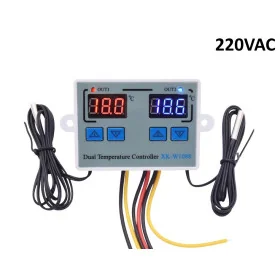
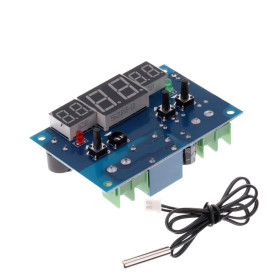
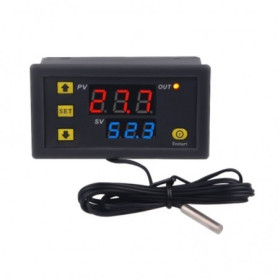
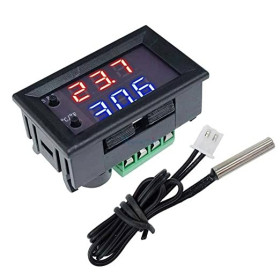
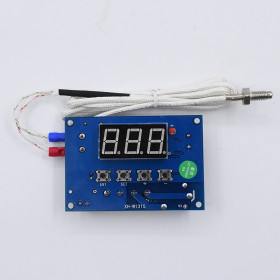
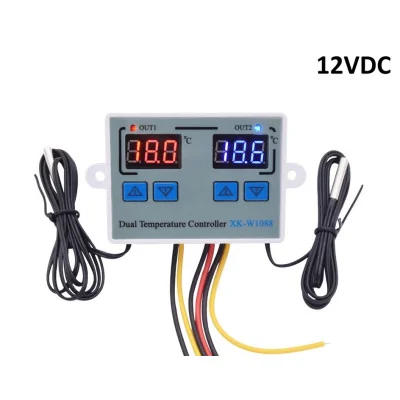
Digital Dual Thermostat, XK-W1088, 10A Relay, NTC 10K, 12V
Compact solution for precise temperature control in two independent zones, 12V power supply, dual red-blue LED display for quick monitoring, 2 included waterproof NTC 10K sensors for measurement in humid environments, range -50 to 120C with 0.1C resolution, two 10A relay outputs for direct control of heating or cooling.
Buying this product earns you 2.40 RON in loyalty points.

International fast shipping within EU. Free Shipping for orders above 100 EUR in most EU countries.

We ship from our stock within 24H

You earn points with every order, worth 5%.
The XK-W1088 dual digital thermostat is a temperature controller with two independent channels, each with its own LED display, its own NTC probe, and its own relay with direct output. It can control heating or cooling in two different zones, for example a heating element and a fan, two pumps, or two heaters. The module is suitable for incubators, aquariums, greenhouses, cold rooms, water tanks, and other systems that require temperature maintenance.
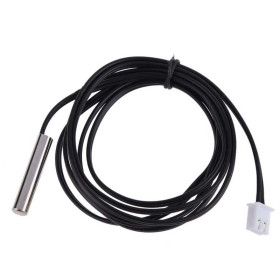
Each channel uses a sealed NTC 10K probe, with a cable of approximately 1 m, suitable for humid environments or immersion. Temperature is displayed with 0.1 °C resolution, with an accuracy of ±1 °C, and the measurement range is from -50 to 120 °C. For each channel, a start temperature and a stop temperature are set, and the operating mode is detected automatically. If the start temperature is lower than the stop temperature, the channel works as a heating thermostat. If it is higher, the channel works as a cooling thermostat. The menu also allows a 0 - 60 minute start delay for each channel, high and low temperature alarms, and individual correction of each probe reading.
Main features include the two LED displays (red for channel 1 and blue for channel 2), the OUT1 and OUT2 indicators that show relay status, four front buttons for setup, two 10 A relays with direct output, two NTC 10K probes, the buzzer for alarms, and non-volatile memory that retains settings after power-off. The module is powered by 12 VDC through the red (+) and black (-) wires. Since the output is direct, the input voltage appears on the yellow wire when the relay is closed, so 12 VDC loads do not need a separate power supply. The relays are rated at 10 A, but for long-term use a current of no more than 5 A per channel is recommended.
The module operates independently, without a development board and without programming, is adjusted from the front buttons, and directly controls 12 VDC loads. The enclosure is common for the 12 V, 24 V, and 220 VAC versions, and the internal module is indicated by a check mark applied with a marker on the enclosure.
Specifications:
Supply voltage: 12 VDC
Maximum relay current: 10 A per channel (direct output), recommended up to 5 A for long-term use
Model: XK-W1088
Number of channels: 2 independent
Output voltage: 12 VDC, dual
Output type: Direct (input voltage is available at the output)
Sensor type: NTC 10K, sealed, cable approximately 1 m
Measurement range: -50 to 120 °C
Accuracy: ±1 °C
Resolution: 0.1 °C
Operating modes: Heating or cooling, automatically detected
Start delay: 0 - 60 minutes for each channel
Display: Red LED (channel 1) and blue LED (channel 2)
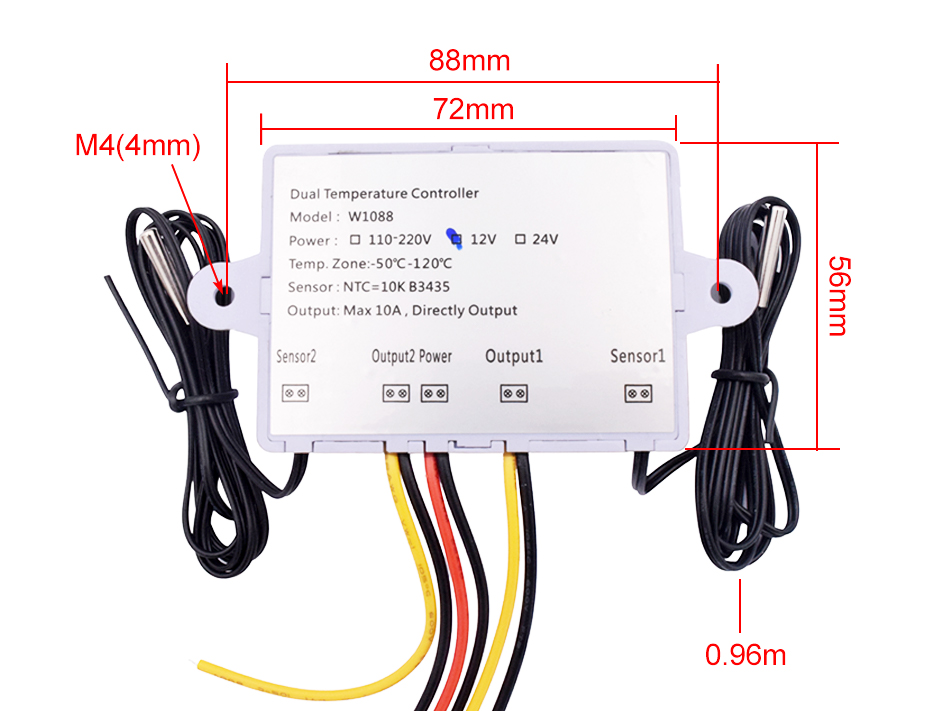
Dimensions: 75 x 55 x 30 mm
Layout:
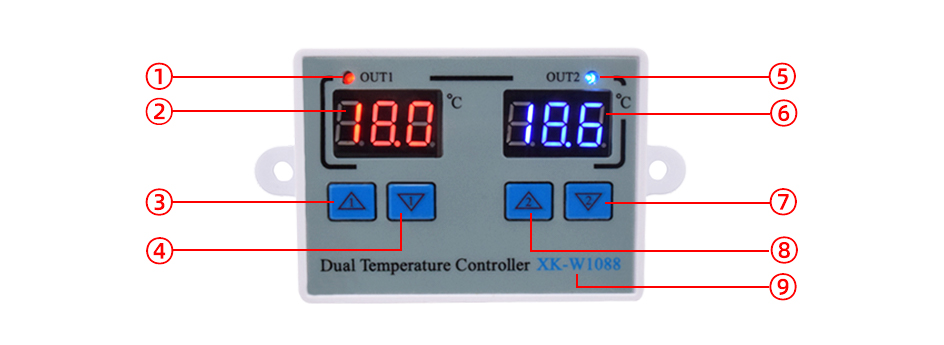
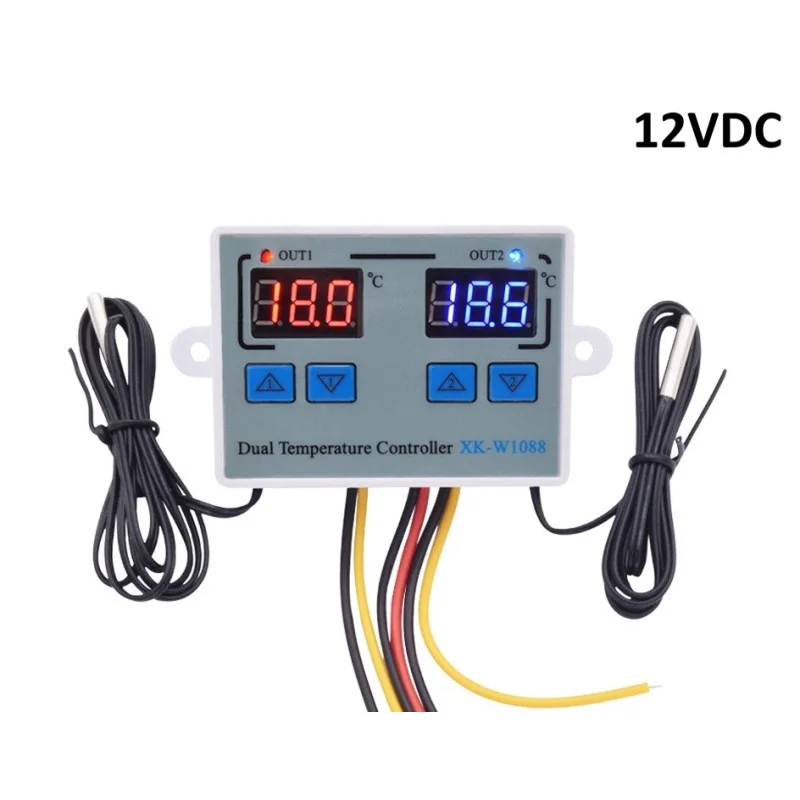
| Nr. | Element | Function |
|---|---|---|
| 1 | Channel 1 operating signal | OUT1 indicator showing the status of channel 1 output. |
| 2 | Channel 1 measured temperature | Red LED display with the temperature read by the channel 1 probe. |
| 3 | Channel 1 start temperature setting | Button for displaying and setting the start temperature of channel 1. |
| 4 | Channel 1 stop temperature setting | Button for displaying and setting the stop temperature of channel 1. |
| 5 | Channel 2 operating signal | OUT2 indicator showing the status of channel 2 output. |
| 6 | Channel 2 measured temperature | Blue LED display with the temperature read by the channel 2 probe. |
| 7 | Channel 2 stop temperature setting | Button for displaying and setting the stop temperature of channel 2. |
| 8 | Channel 2 start temperature setting | Button for displaying and setting the start temperature of channel 2. |
| 9 | Model | Model marking, XK-W1088. |
Use:
Before connecting, check the mark on the enclosure and make sure the 12 V version is indicated, since the same enclosure is also used for the 24 V and 220 VAC versions.
Power the module with 12 VDC, with the red wire to positive and the black wire to negative, observing polarity. Do not apply a voltage higher than that indicated on the enclosure.
Connect each 12 VDC load between one yellow wire and one black output wire. Use only 12 VDC loads, since the direct output supplies the module’s input voltage.
Size the power supply for the sum of the currents of both loads and do not exceed 5 A per channel in continuous operation.
Insert the probes into the areas to be measured. The probes are sealed, and the cable is approximately 1 m long.
To set the start temperature (Start), briefly press the channel UP button to display it, then hold it for 3 seconds until the digits flash and adjust the value with UP and DOWN.
To set the stop temperature (Stop), briefly press the channel DOWN button to display it, then hold it for 3 seconds until the digits flash and adjust the value with UP and DOWN.
Select the operating mode by the relationship between the two values. For heating, set Start lower than Stop, and for cooling, set Start higher than Stop.
For delays and alarms, press channel 1 UP and channel 2 UP simultaneously for 3 seconds, until P0 appears. Navigate with UP1 and adjust values with UP2 and DOWN2. To exit the menu, wait a few seconds without pressing any button.
| Code | Function | Range | Default |
|---|---|---|---|
| P0 | Channel 1 start delay | 0 - 60 minutes | 0 |
| P1 | Channel 2 start delay | 0 - 60 minutes | 0 |
| P2 | High temperature alarm | from P3 to 120 °C | 120 °C |
| P3 | Low temperature alarm | from -55 °C to P2 | -55 °C |
If a probe shows a slightly different value compared to a reference thermometer, press the UP and DOWN buttons of that channel simultaneously for 3 seconds. The display will show 0.0, and the correction value can be adjusted with UP and DOWN.
To restore factory settings, with the module powered, press channel 1 DOWN and channel 2 DOWN simultaneously for 3 seconds. The display will show 888, and the module will enter normal operating mode.
Settings are stored in memory even after power is turned off.
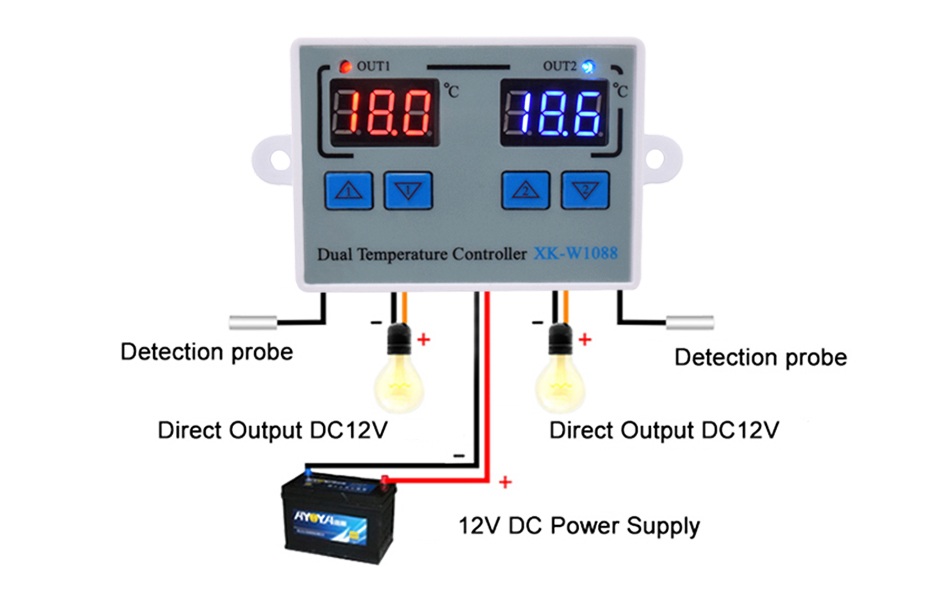
Connection example:
Dimensions diagram:
- Maximum Output Current
- 10 A
- Input Voltage
- 12 V
- Input Voltage Type
- “DC” in Romanian can mean **“de ce”**, which translates to **“why”** in English.
- Model
- XK-W1088
- Sensor type
- NTC 10K
Produs destinat utilizarii in proiecte electronice, automatizari, prototipare, educatie si cercetare.
Produsul trebuie utilizat numai conform specificatiilor tehnice mentionate in descriere si/sau in documentatia produsului.
Avertismente generale de siguranta:
Nu utilizati produsul la tensiuni, curenti sau temperaturi peste valorile specificate.
Montajul si conectarea trebuie realizate de persoane cu cunostinte tehnice minime in domeniul electric/electronic.
Evitati scurtcircuitele, inversarea polaritatii si conectarea gresita a alimentarii.
Nu lasati produsul alimentat nesupravegheat in timpul testelor.
Produsul nu este jucarie si nu este destinat copiilor.
Pentru modulele electronice, se recomanda utilizarea in carcase, panouri sau montaje protejate, dupa caz.
Identificare produs:
Denumirea produsului, codul/SKU-ul si caracteristicile tehnice sunt mentionate in pagina produsului si/sau pe eticheta ambalajului.
Producator / Importator / Distribuitor:
Sigmanortec S.R.L.
Calea Bucuresti nr. 9, Targu Jiu, Gorj, Romania
E-mail: [email protected]
Website: www.sigmanortec.ro
Persoana responsabila in UE:
Sigmanortec S.R.L.
Calea Bucuresti nr. 9, Targu Jiu, Gorj, Romania
E-mail: [email protected]
Documentatie si siguranta:
Pentru informatii suplimentare, fise tehnice, declaratii de conformitate sau instructiuni, ne puteti contacta la [email protected].
This tutorial shows how to put the XK-W1088 12 VDC dual digital thermostat into operation. It is a standalone module that works on its own once it is powered, so we use no development board and no program. The settings are made with the four front buttons.
The module controls two separate temperature zones, each with its own NTC 10K probe and its own relay. You can use it in heating or cooling projects, for example for an incubator, a small greenhouse, an aquarium or an equipment enclosure. In this tutorial we control a heating element on channel 1 and a fan on channel 2.
How it works:
The NTC 10K probe is a resistor that changes its value with temperature. At 25 °C it has 10 kΩ, and as the temperature rises the resistance drops. The module measures this resistance, converts it to degrees Celsius and displays the value with a resolution of 0.1 °C. Each channel has its own probe, display and relay.
Each channel has two thresholds, Start and Stop. The operating mode results from the relation between them. If Start is lower than Stop, the channel works as heating. The relay closes when the temperature drops to Start or below and opens when it reaches Stop or above. If Start is higher than Stop, the channel works as cooling. The relay closes when the temperature rises to Start or above and opens when it drops to Stop or below. The difference between the two thresholds acts as hysteresis and prevents the load from switching on and off repeatedly.
In our example, channel 1 has Start 20.0 °C and Stop 22.0 °C. The heating turns on at 20.0 °C or less and turns off at 22.0 °C. Channel 2 has Start 30.0 °C and Stop 28.0 °C. The fan turns on at 30.0 °C or more and turns off at 28.0 °C.
The output is direct. When the relay closes, the 12 V supply voltage appears on the yellow wire, and the black wire is ground. The load therefore receives power straight from the module's power supply, so the supply must handle the total current. The current of each load is calculated with I = P / U. For the heating plate I = 24 W / 12 V = 2 A, and the fan draws 0.2 A. The total is about 2.2 A, below the 5 A per channel limit recommended for long-term use.
Connection:
Power the module only at 12 VDC. Before connecting, check the tick mark on the housing, because the same housing is also used for the 24 V and 220 VAC versions. The mains adapter carries a dangerous voltage on its 230 VAC side, so make all the connections with the adapter unplugged and connect it to the mains last. The relays are rated for 10 A, but for long-term use at most 5 A per channel is recommended. The outputs deliver 12 V, so do not connect loads of a different voltage.
| Product pin | Connects to | Role |
|---|---|---|
| +12V (red wire) | + terminal of the 5.5 x 2.1 mm DC jack adapter | 12 VDC power supply |
| GND (black power wire) | - terminal of the DC jack adapter | Ground |
| OUT1+ (yellow wire) | 12 V heating plate, + terminal | Channel 1 output, heating |
| OUT1- (black wire) | 12 V heating plate, - terminal | Channel 1 load ground |
| OUT2+ (yellow wire) | 80 mm 12 V fan, + wire | Channel 2 output, cooling |
| OUT2- (black wire) | 80 mm 12 V fan, - wire | Channel 2 load ground |
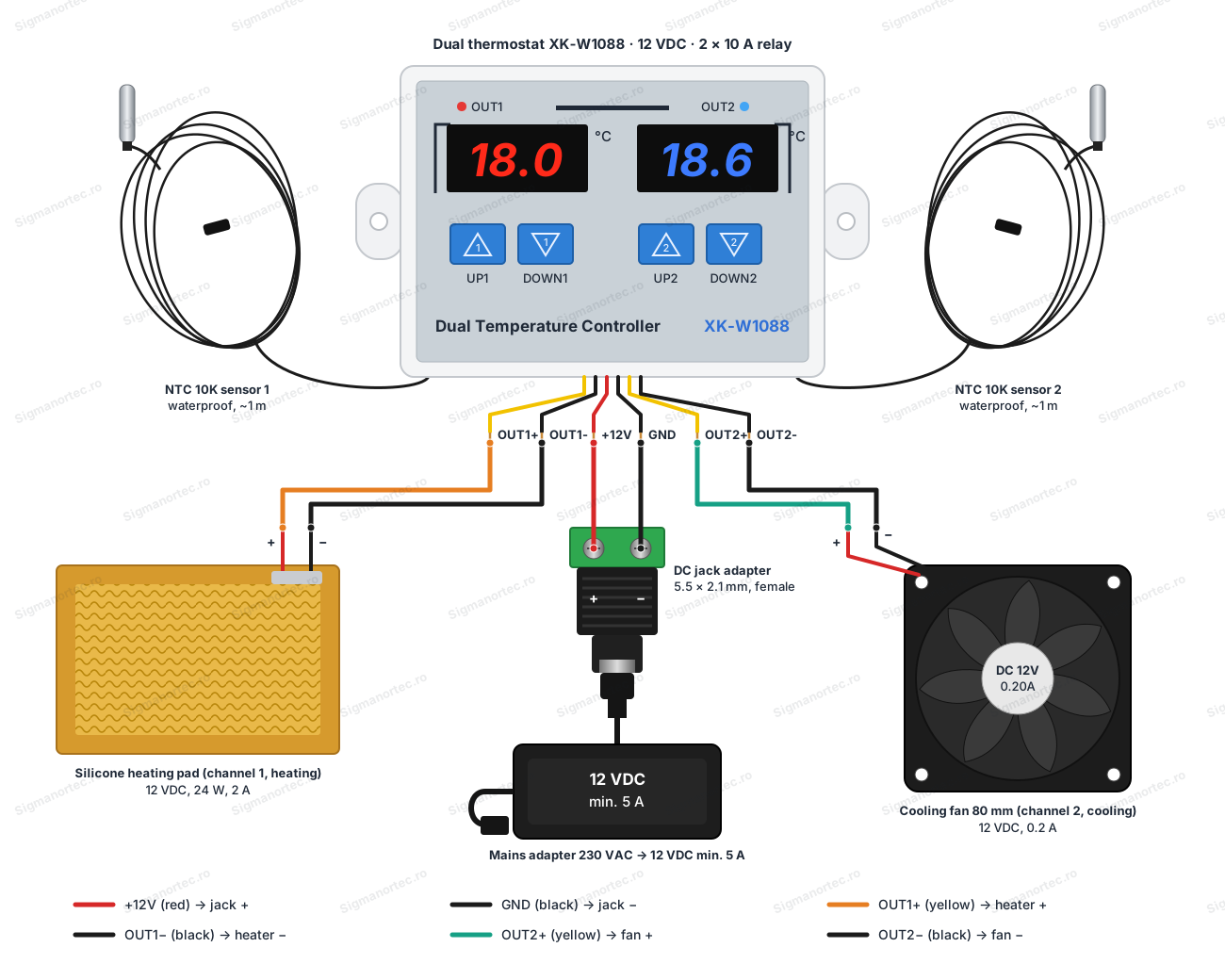
The pair of wires on the left of the board belongs to channel 1 (red display), and the one on the right to channel 2 (blue display). This assignment comes from the photo of the module, so check it on the actual module. Warm one probe slightly with your hand and see which display changes its value. The mains adapter must deliver 12 VDC and at least 5 A, and the DC jack adapter with screw terminals lets you connect the red and black wires without soldering.
Configuration:
Power the module. The two displays show the temperatures read by the probes, and the Start and Stop values are kept in non-volatile memory even after the power is cut. Each channel has two buttons, UP for Start and DOWN for Stop. Channel 1 uses UP1 and DOWN1, and channel 2 uses UP2 and DOWN2.
To see the Start temperature, press UP briefly. To change it, hold UP pressed for 3 seconds until the digits blink, then adjust with UP and DOWN. The Stop temperature is set the same way, with the DOWN button. After a few seconds without pressing anything, the value is saved and the display returns to the measured temperature.
Additional parameters are found in the menu. Hold UP1 and UP2 pressed together for 3 seconds, until P0 appears. Navigate with UP1 and change the values with UP2 and DOWN2. The menu closes by itself after a few seconds without any button press.
| Parameter | Function | Range | Default |
|---|---|---|---|
| P0 | Channel 1 start delay | 0 - 60 minutes | 0 |
| P1 | Channel 2 start delay | 0 - 60 minutes | 0 |
| P2 | High temperature alarm | from P3 to 120 °C | 120 °C |
| P3 | Low temperature alarm | from -55 °C to P2 | -55 °C |
The start delay (P0 and P1) postpones the closing of the relay after power-up or after a command, which protects motors and compressors from repeated starts. The P2 and P3 alarms activate the buzzer when the temperature goes outside the set limits.
To correct the reading, compare the display with a reference thermometer. If the difference is small, press the channel's UP and DOWN together for 3 seconds. 0.0 appears on the screen, and the value is adjusted with UP and DOWN. The correction value is added to the measured temperature.
To return to the factory settings, press DOWN1 and DOWN2 together for 3 seconds. 888 appears on the screen, and the module goes back to normal operation with the default values.
Usage example:
We want to keep a small room at about 21 °C with a heating plate on channel 1 and turn on a fan on channel 2 when the temperature exceeds 30 °C. We connect everything according to the table above, place the channel 1 probe in the heated area and the channel 2 probe in the area to be cooled.
Set channel 1 as heating. Press UP1 briefly to see Start, hold for 3 seconds and set it to 20.0 °C. Then press DOWN1 briefly, hold for 3 seconds and set Stop to 22.0 °C. Because Start is lower than Stop, the channel works as heating.
Set channel 2 as cooling. With UP2 set Start to 30.0 °C, and with DOWN2 set Stop to 28.0 °C. Because Start is higher than Stop, the channel works as cooling.
At a temperature of 18 °C, the OUT1 indicator lights up, the heating plate receives 12 V and draws about 2 A. When the temperature reaches 22.0 °C, the relay opens and the indicator goes off. The fan turns on only when the channel 2 probe reads 30.0 °C or more and turns off at 28.0 °C. The total current stays at about 2.2 A when both loads are on.
Common problems:
The displays stay off. The usual cause is wrong or reversed power. Check that the red wire is on plus and the black one on minus, that the adapter delivers 12 VDC and that the housing is marked as the 12 V version.
The relay does not close even though the temperature seems correct. Check the Start and Stop relation, because reversed values change the mode from heating to cooling. Also check P0 or P1, because a start delay postpones the closing of the relay.
The OUT indicator is on, but the load does not start. The output is direct and delivers the supply voltage, so check the yellow and black wires going to the load, the polarity and the load itself. Also check whether the power supply can deliver the total current, because a weak supply makes the voltage drop.
The displayed temperature differs from the real one. Compare with a reference thermometer and correct the reading by pressing the channel's UP and DOWN together for 3 seconds. Also check that the probe is properly placed in the medium to be measured and is not stuck to a heat source.
The buzzer sounds. The temperature has gone outside the P2 and P3 alarm limits. Adjust the limits in the menu or lower the temperature. With the factory values, the alarms are at the extreme limits of the range.
The channels seem swapped or the settings are confusing. Warm one probe with your hand and watch which display changes, then adjust the correct channel. If you no longer know what you changed, go back to the factory settings by holding DOWN1 and DOWN2 pressed for 3 seconds.
Limitations and tips:
The module in this tutorial works at 12 VDC and controls only 12 VDC loads. The relays are rated for 10 A, but for long-term operation do not exceed 5 A per channel. For larger loads use an external contactor or relay controlled by the module's output. The temperature is measured between -50 and 120 °C, with an accuracy of ±1 °C, so for applications that need more precise values use the reading correction and a reference thermometer.
For stability, keep a gap of at least 1 - 2 °C between Start and Stop to avoid frequent switching. Use the start delay for motor loads. The probe cables can be routed away from the power wires. With this module you can build a two-zone incubator, a heating and cooling system for a small greenhouse or an overheating protection with an audible alarm.